How to Buy a Digital Camera: Beginner’s Guide (2026)

Spending $400 on a camera that ends up on a shelf is one of the most common regrets in photography — and it almost always happens to people who are fairly new to photography and picked a camera based on a spec they didn’t fully understand. The camera aisle, whether you’re standing in a store or scrolling through Amazon, throws megapixel counts, sensor types, and lens mounts at you before you’ve even decided what you want to photograph.
What’s in this guide
- What You'll Need
- Step 1: Define Your Needs & Budget
- Step 2: Choose the Right Camera Type
- Step 3 — Learn the 5 Features That Actually Matter
- Step 4 — Match Your Persona to the Right Camera
- Step 5: How to Save Money on Your Camera
- Common Mistakes First-Time Camera Buyers Make
- Frequently Asked Questions
- Choosing Your Camera With Confidence
This guide works differently. Learning how to buy a digital camera starts with one question: who are you as a photographer? Once you’ve answered that, every other decision — camera type, features, budget — falls into place naturally. The five steps below walk you through that exact process, from identifying your photographer persona to safely buying secondhand at a serious discount.
Estimated time: 45-60 minutes to read and research
What You’ll Need
Before working through the five steps, gather three pieces of information. They’ll make every decision much easier.
1. Your primary use case (one sentence). Finish this sentence: “I mainly want to photograph \_\_\_\_\_.” Travel memories? Kids’ birthday parties? YouTube videos? Your answer determines your camera type before you read a single spec.
2. Your real total budget. A camera body is not the only cost. Plan for memory cards ($20–$40), a spare battery ($20–$50), and a bag ($30–$80) on top of the body price. For interchangeable-lens cameras, a basic bundle already includes a kit lens — but budget for accessories on day one.
3. Where you’ll buy. New from a retailer, certified refurbished, or secondhand? Each path has different considerations. Step 5 covers the secondhand route in detail, including a 10-point inspection checklist.
With those three answers in hand, you’re ready to start.
Step 1: Define Your Needs & Budget

Before a single camera spec enters the conversation, the process of how to buy a digital camera requires you to know what you will actually do with it. That sounds obvious — but it’s the step that most camera guides skip entirely, and it’s exactly why so many beginners feel they “wasted $400.” The Persona-Budget Filter is the framework this guide uses: identify your photographer type and your realistic total budget first, then let those answers filter every spec and model decision that follows.
Matching a camera to your photography goal — not its spec sheet — is the single most reliable way to avoid buyer’s remorse. People who skip this step buy whatever a tech reviewer recommended, which is often a camera designed for a completely different kind of photographer.
How We Built This Guide
Camera type assessments in this guide are based on community consensus from r/photography and DPReview forums, cross-referenced with published review data from data-driven camera reviews by RTINGS.com (2026), Wired, and Tom’s Guide. Model mentions reflect current market availability and pricing as of early 2026. The persona framework was developed from analysis of the most common beginner questions across photography communities — including the VoC question that comes up constantly: “Buying a camera secondhand, what should I test to make sure I don’t get scammed?”
Which Type of Photographer Are You?

The most important question in choosing a digital camera has nothing to do with megapixels. It’s this: what will you actually photograph? According to beginner camera recommendations from Tom’s Guide (2026), most first-time buyers fall into one of four clear groups. Read through them and pick the one that sounds most like you.
- The Traveler. You carry a camera in a daypack or jacket pocket. You want great photos with minimal hassle — no heavy gear, no swapping lenses mid-hike. Size and weight are your top priorities. Budget: typically $300–$700. Must-have: a compact body that won’t slow you down.
- The Vlogger / Content Creator. You record YouTube videos, TikTok clips, or Instagram Reels. You film yourself regularly. Video quality and a flip-out screen (so you can see yourself while filming) are non-negotiable. Budget: $400–$1,000. Must-have: an articulating screen.
- The Family Photographer. You capture kids’ birthdays, school events, and holidays. Kids move fast, lighting indoors is usually poor, and other family members will borrow the camera too. Budget: $300–$600. Must-have: fast, reliable autofocus.
- The Aspiring Photographer. You want to learn photography as a craft — manual controls, creative flexibility, room to grow into advanced techniques over time. Budget: $500–$1,200 (body + kit lens). Must-have: full manual controls and a strong lens ecosystem.
Still unsure which persona fits you? Pick the one closest to why you searched “how to buy a digital camera” today. You can always grow into a different category later.
Set Your Real Budget (Body + Extras)
When looking at what to look for when buying a digital camera, budget is one of the most misunderstood pieces of the puzzle. Most beginners price only the camera body, then feel blindsided when they realize they also need a memory card, a spare battery, and something to carry the camera in.
Here’s a practical breakdown of what your real budget needs to cover:
- Memory card: $20–$40 (UHS-I Speed Class 3 minimum for video)
- Spare battery: $20–$50 (third-party options from reputable brands work well)
- Camera bag or case: $30–$80
- Total accessories budget: $70–$170 on top of the camera price
For interchangeable-lens cameras — mirrorless and DSLRs — most beginner bundles include a kit lens. However, upgrading lenses later costs $150–$500+ per lens, so know that going in.
Practical rule: If your total photography budget is $500, plan to spend roughly $400 on the body-and-lens bundle and keep $100 for essentials. Beginner camera recommendations from Tom’s Guide confirm this as a realistic first-year cost model (2026).
| Budget Range | What You Can Expect |
|---|---|
| Under $300 | Point-and-shoot territory — fixed-lens compacts |
| $300–$600 | Entry DSLR or older mirrorless body + kit lens |
| $600–$1,000 | Current-generation beginner mirrorless (e.g., Canon EOS R10) |
| $700–$1,200 | Vlogging-focused mirrorless or advanced compact |
Should You Buy a Dedicated Camera?
Some readers arrive here with a quiet doubt: do I actually need a dedicated camera, or is my phone good enough? This is a fair question worth answering honestly.
WIRED’s camera guide (updated early 2026) notes that dedicated cameras still meaningfully outperform smartphones for optical zoom and low-light photography. A camera with an APS-C sensor (the most common sensor type in beginner cameras) captures dramatically more light than any phone sensor, which translates directly to sharper, cleaner photos in dim indoor environments — birthday parties, school gyms, candlelit dinners.
That said, there are real scenarios where a smartphone is the smarter choice:
| Feature | Dedicated Camera | Modern Flagship Phone |
|---|---|---|
| Optical Zoom | ✅ True optical zoom (3x–100x) | ❌ Digital crop beyond 5x |
| Low-Light Performance | ✅ Large sensor advantage | ⚠️ Good but limited |
| Portability | ⚠️ Second device to carry | ✅ Already in your pocket |
When a smartphone is still fine: If you share photos exclusively on Instagram or TikTok and never print them, a modern flagship (iPhone 16 Pro, Samsung Galaxy S25) is genuinely sufficient. If your budget is under $150, a cheap compact will often disappoint more than a good phone camera.
The honest verdict: If you’re reading this guide and asking “should I buy a digital camera,” a dedicated camera will almost certainly improve both your photos and your enjoyment — especially for the four personas above. The optical zoom and sensor size advantages are real and visible, not theoretical.
Step 2: Choose the Right Camera Type
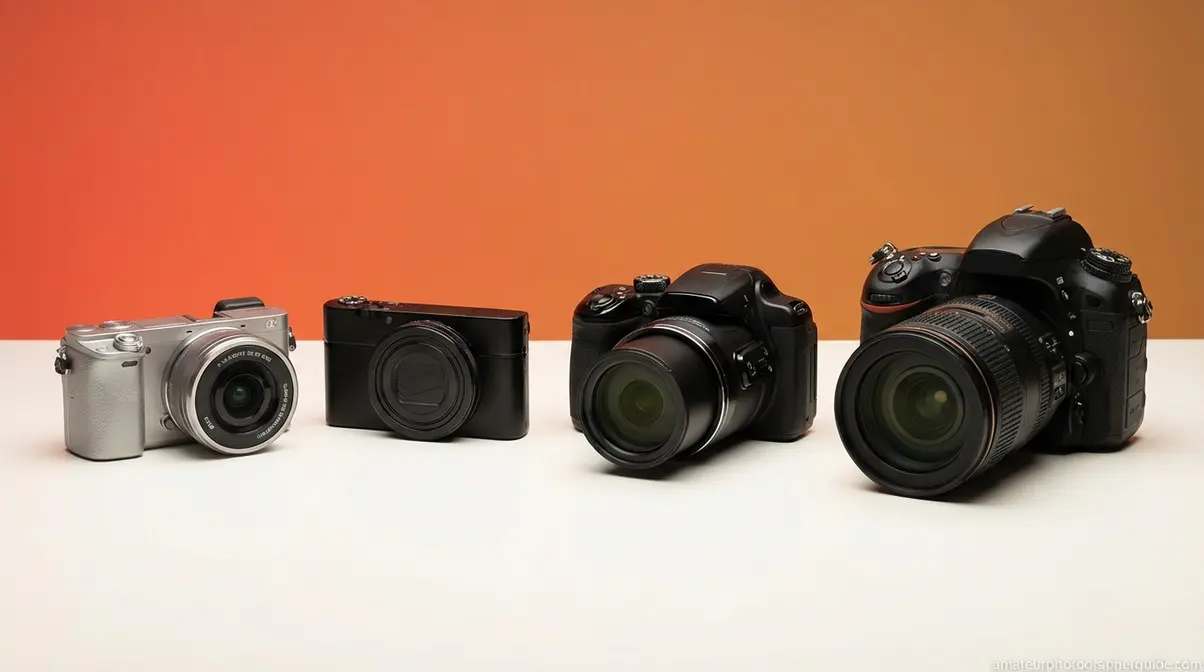
There are four main types of digital cameras, and choosing the right one depends entirely on how and where you plan to use it. Mirrorless cameras suit most beginners today, DSLRs offer proven value, compacts prioritize portability, and bridge cameras serve a specific niche of zoom-heavy shooters. Before reading further, run each type through your Persona-Budget Filter — which type aligns with who you are and what you’ve budgeted?
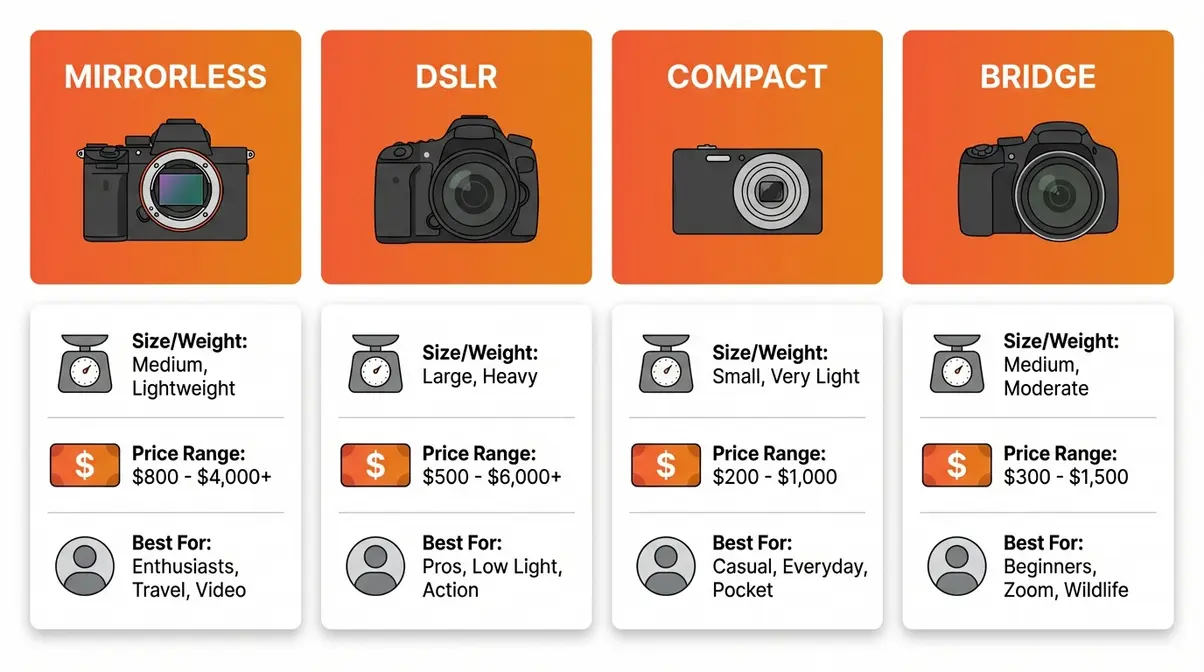
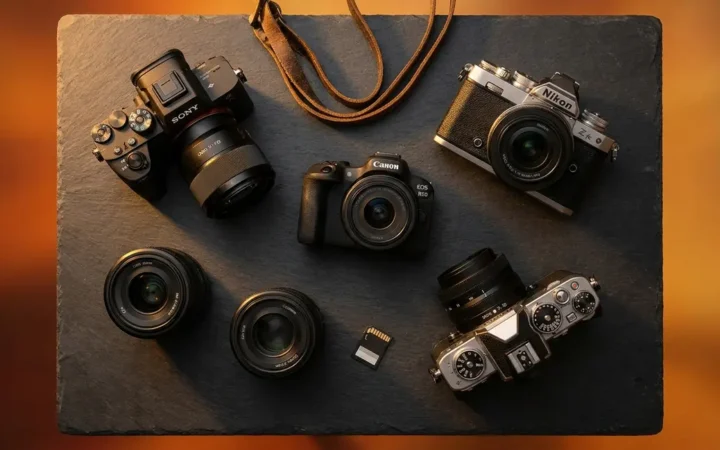
Caption: A side-by-side visual of all four digital camera types helps beginners quickly identify which form factor matches their lifestyle and budget.
Mirrorless Cameras — Best for Most Beginners
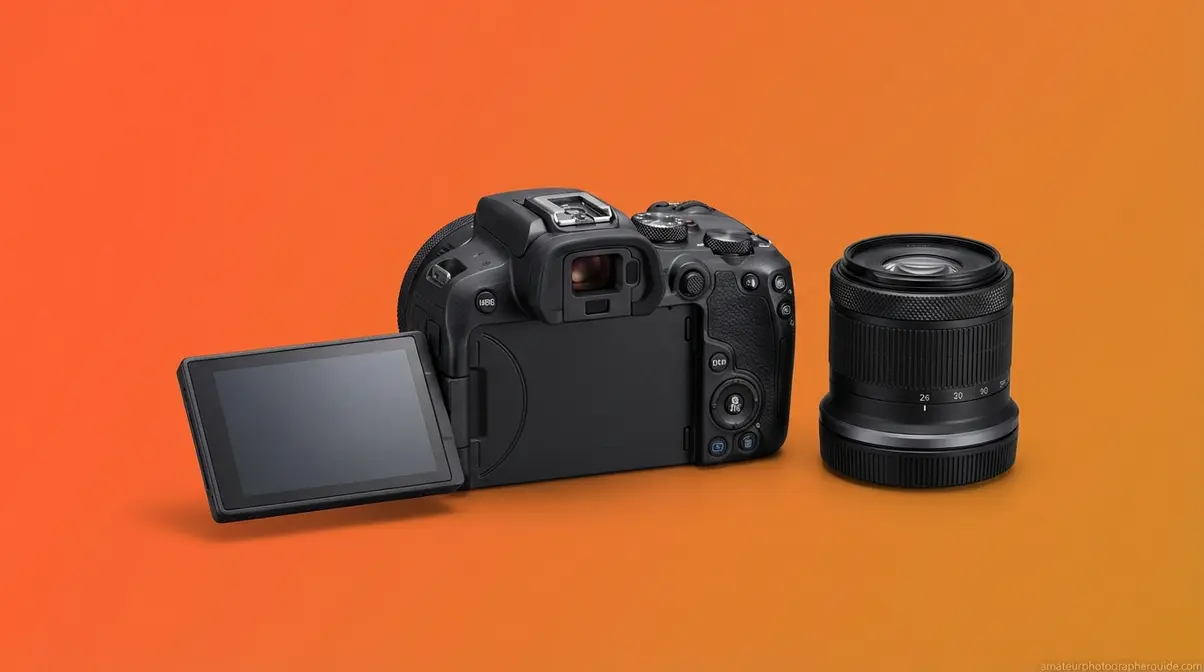
Mirrorless cameras (cameras without the internal mirror mechanism of a traditional DSLR) are the default recommendation for most beginner photographers in 2026. Because they don’t need a mirror box, they’re significantly smaller and lighter than DSLRs while matching or exceeding their image quality.
The key advantages are hard to overstate. Face and eye autofocus — the camera automatically finds and tracks human faces, keeping them sharp even as your subject moves — is now standard on beginner mirrorless bodies. Data-driven camera reviews from RTINGS.com confirm that mirrorless cameras now dominate beginner recommendations due to autofocus and size advantages (2026). Access to current lens systems from Canon (RF mount), Sony (E mount), and Fujifilm (X mount) means your investment grows with you.
- Beginner models to consider (as of early 2026):
- Canon EOS R10 (~$999 body only at Canon USA) — one of the most recommended beginner mirrorless cameras of 2026, with a 24.2MP APS-C sensor and fast dual-pixel autofocus
- Sony ZV-E10 (~$799 body only) — a mirrorless camera designed specifically for vloggers, with a flip-out screen and excellent 4K video
Best For: Travelers, Vloggers, Aspiring Photographers.
Mirrorless cameras have become the default recommendation for most beginner photographers in 2026 due to their compact size, advanced autofocus, and access to current lens ecosystems.
Where mirrorless excels with technology and size, DSLRs take a different approach — prioritizing battery life and value.
DSLRs: Value & Battery Life
DSLR stands for Digital Single-Lens Reflex. Inside the camera, a mirror reflects light up to an optical viewfinder before the shot — which is what makes DSLRs larger and heavier than their mirrorless counterparts. When you press the shutter, the mirror flips up and light hits the sensor.
That old-fashioned mechanism delivers one genuine advantage: exceptional battery life. DSLRs typically deliver 700–1,000+ shots per charge, compared to 300–400 for most mirrorless cameras. For full-day events — a family reunion, a day of hiking, a school sports meet — that difference matters. According to Amateur Photographer’s beginner guide (2026), entry DSLR models remain strong value picks for budget-conscious beginners.
- Beginner models to consider (as of early 2026):
- Canon EOS Rebel T7 (a budget-friendly DSLR that typically sells for under $400 with a kit lens) — one of the most accessible entry points in dedicated photography
- Nikon D3500 (widely available used for $150–$250) — excellent image quality for its age, and a massive lens ecosystem
Honest caveat: Canon’s EF and Nikon’s F lens mount systems are being phased out in favor of mirrorless mounts. These cameras are excellent for learning, but future lens purchases will be more limited than with a current mirrorless system.
Best For: Family Photographers, Aspiring Photographers on tighter budgets.
Compacts: Pocket-Size Simplicity
A compact camera — often called a “point and shoot” — is exactly what the name implies: a fixed lens, fully automatic shooting modes, and a body small enough to slide into a jacket pocket. There’s no lens to swap, no complex menu to navigate on day one. You pick it up, point it, and shoot.
For Travelers who want maximum portability, compacts are hard to beat. What to look for in a compact digital camera is usually simple: portability, image quality for the size, and — for vlogging-minded travelers — a flip screen and 4K video. Premium compacts like the Canon PowerShot G7 X Mark III (~$879 at Canon USA as of early 2026) deliver exactly those features in a body that disappears into a daypack. Sony’s guide on sensor size and notes that fixed-lens compact cameras use smaller sensors optimized for portability over maximum light capture.
Key limitation: You cannot change or upgrade the lens. Sensor size is also smaller than most mirrorless or DSLR cameras, which limits performance in dim lighting.
Best For: Travelers who want maximum portability, casual photographers.
Bridge Cameras — The Middle Ground
Bridge cameras sit between compact and interchangeable-lens cameras in the lineup. They have a fixed lens like a compact, but a larger body with manual controls similar to a DSLR. Their defining feature is extreme zoom range — often 40x to 100x optical zoom — without the complexity of carrying and changing multiple lenses.
Popular examples include the Nikon P950 and the Sony RX10 IV. Both offer remarkable zoom capability in a single package.
Best For: Wildlife photographers and travelers who need extreme zoom reach without carrying a lens kit. Bridge cameras are less suited for vlogging (fixed lens, larger body) or portrait work. Price range: $400–$1,200.
Camera Type Quick-Comparison Table
| Feature | Mirrorless | DSLR | Compact | Bridge |
|---|---|---|---|---|
| Size & Weight | Light, compact | Larger, heavier | Pocket-size | Medium, bulky |
| Price Range | $600–$1,100+ | $300–$600 | $150–$900+ | $400–$1,200 |
| Lens Options | Interchangeable | Interchangeable | Fixed | Fixed (extreme zoom) |
| Best For | Most beginners | Budget learners | Travelers | Wildlife/zoom |
| Example Model | Canon EOS R10 | Canon Rebel T7 | Canon G7 X III | Nikon P950 |
(Prices as of early 2026 — verify with retailers before purchase, as prices vary)
Step 3 — Learn the 5 Features That Actually Matter
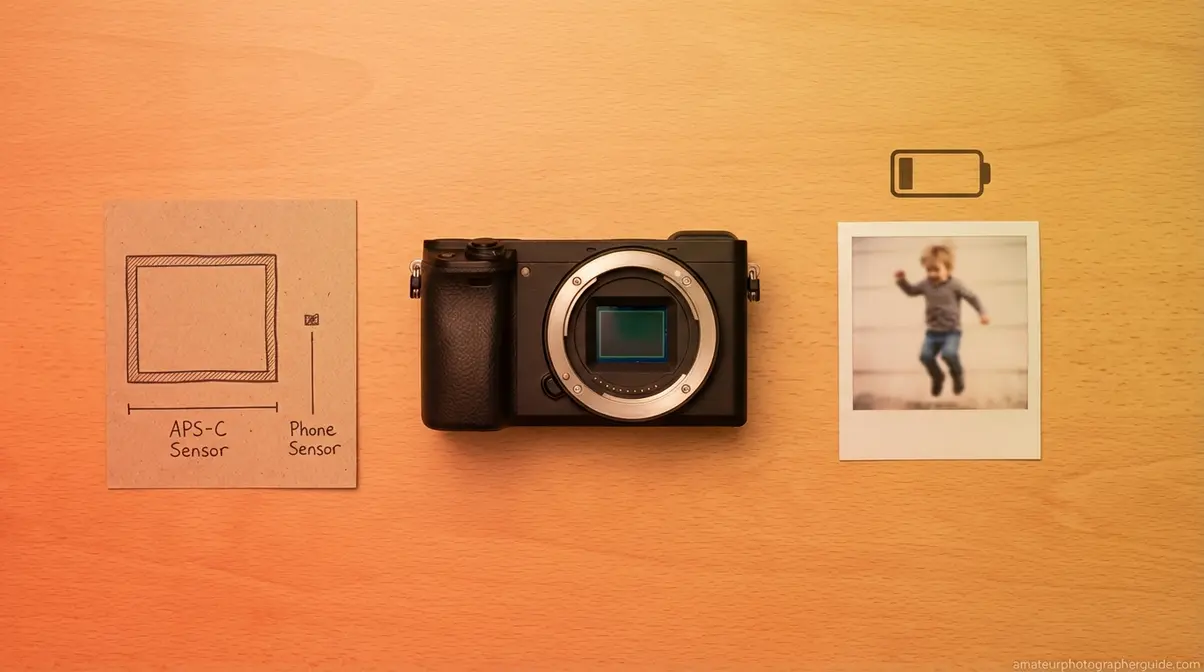
What to look for when buying a digital camera often gets buried under a mountain of specs — most of which won’t affect your photos at all. This section cuts through the noise. Five features genuinely matter for beginner photographers: sensor size, autofocus, video capability, lens ecosystem, and battery life. For each one, run it through your Persona-Budget Filter — ask yourself, does this feature actually matter for my type of photography?
For most beginner photographers, an APS-C sensor with at least 24 megapixels delivers professional-quality images in everyday shooting conditions. (amateurphotographerguide.com, 2026)
Sensor Size vs. Megapixels
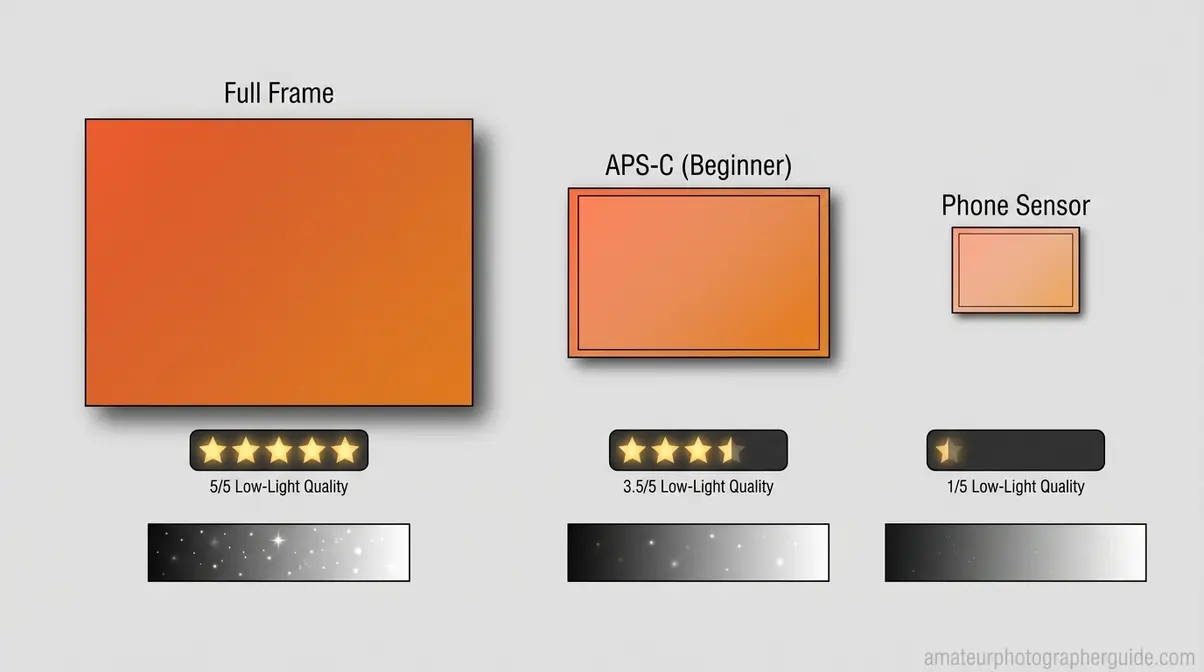
The sensor is the “eye” of the camera — the chip that captures light and turns it into your photo. Bigger sensors capture more light, which produces cleaner, sharper images in dim conditions: indoor birthday parties, evening events, dimly lit restaurants.
Most beginner cameras use one of two sensor types. The APS-C sensor (found in most beginner mirrorless cameras and DSLRs) is the standard for entry-level photography and delivers excellent results. Micro Four Thirds sensors, slightly smaller, appear in Olympus/OM System and Panasonic cameras — still excellent, but with a slight disadvantage in very low light. Full-frame sensors belong to advanced and professional cameras and cost significantly more. Sony’s resource on sensor size explains directly how sensor size affects light capture and image quality across shooting conditions.
The megapixel myth: More megapixels does not mean better photos for everyday use. A 24MP APS-C sensor produces sharper real-world images than a 36MP phone-sized sensor in low light — every time. The difference between 24MP and 45MP is invisible unless you’re printing billboard-size images or making extreme crops. Any camera with 20MP or more has more than enough resolution for social media, large prints, and personal projects.
What this means for you: Focus on sensor type — APS-C for most beginners — not megapixel count.
Autofocus: Locking On Your Subject
Autofocus (AF) is the camera’s system for automatically locking focus on your subject. Modern cameras use phase-detection AF, which is fast enough to track a running child across a room. Older systems used contrast-detection AF — slower, and noticeably so when your subject is moving.
The standout feature on current beginner mirrorless cameras is face and eye detection: the camera finds human faces in the frame and keeps them sharp automatically, even as people move toward or away from the camera. WIRED’s camera guide (updated early 2026) notes that face and eye autofocus is now standard in beginner mirrorless cameras, significantly improving the percentage of sharp, in-focus shots for beginner photographers.
For Family Photographers, this is a near-mandatory feature. Kids don’t hold still for focus confirmation. Fast phase-detection AF — ideally with face tracking — is the single feature that separates a frustrating experience from a rewarding one.
What this means for you: Family Photographers should prioritize fast AF above almost everything else. Travelers and Vloggers benefit too — but for a casual compact shooter, standard AF is usually sufficient.
Video: 4K vs. HD Explained
This is the question that confuses almost every beginner, so let’s separate two things that get mixed up constantly.
4K vs. HD is a video question. 4K (approximately 3,840 × 2,160 pixels) has four times the detail of 1080p HD video. If you plan to vlog, post video online, or want flexibility to crop your footage in editing without losing quality, 4K is a meaningful upgrade. 1080p HD is still perfectly good for casual family videos and social sharing.
4K vs. 12MP is comparing two completely different things. As still and video resolution explained by RedShark News makes clear, still image resolution (megapixels) and video resolution (4K/HD) involve entirely different sensor readout processes. A 12MP still photo contains excellent detail — more than enough for prints up to 16×20 inches. 4K video is a separate spec for a separate purpose. You are not choosing between them.
Fortunately, most beginner cameras in 2026 offer both 4K video and 24MP+ still photos in a single body. You don’t have to compromise.
What this means for you: Vloggers should confirm any camera offers 4K at 30fps or higher. Family Photographers capturing home videos can comfortably stay with 1080p HD and spend their budget elsewhere.
Lens Ecosystem: A Long-Term Choice
A lens mount is the physical connection point between the camera body and the lens. Each major brand uses its own system: Canon uses RF (for mirrorless) and EF (for DSLRs), Sony uses E-mount, Nikon uses Z-mount. These systems are not interchangeable without adapters.
Why does this matter for a beginner? Because lenses are expensive — often more expensive than the camera body — and they’re brand-specific. If you buy a Canon mirrorless body, your lenses must be compatible with Canon’s RF ecosystem. Switch to Sony three years later, and your lenses don’t come with you. The camera body you buy today is choosing a long-term relationship with that brand’s lens lineup.
The practical upside: Canon, Sony, and Nikon all have strong beginner lens ecosystems with plenty of affordable options. Pick a brand you’re comfortable with and invest in lenses over time. The 50mm f/1.8 prime lens — available for $100–$200 in most ecosystems — is often the first upgrade beyond the kit lens, and it produces beautiful portrait photos with soft, blurred backgrounds.
What this means for you: Buy the best body you can afford within a strong lens ecosystem. Over time, the lenses will matter more than the body.
Battery & Ergonomics: Don’t Overlook
Two features that rarely appear in camera spec comparisons but affect your daily experience significantly.
Battery life: Mirrorless cameras typically deliver 300–400 shots per charge. DSLRs routinely hit 700–1,000+ shots. For full-day shoots — a family trip, a day of travel photography, a long event — that difference is real. Regardless of camera type, buying a spare battery ($20–$50 from a reputable third-party brand) is one of the best investments you can make early on. Best Buy’s camera buying guide lists battery life and ergonomics as key practical considerations often overlooked by first-time buyers.
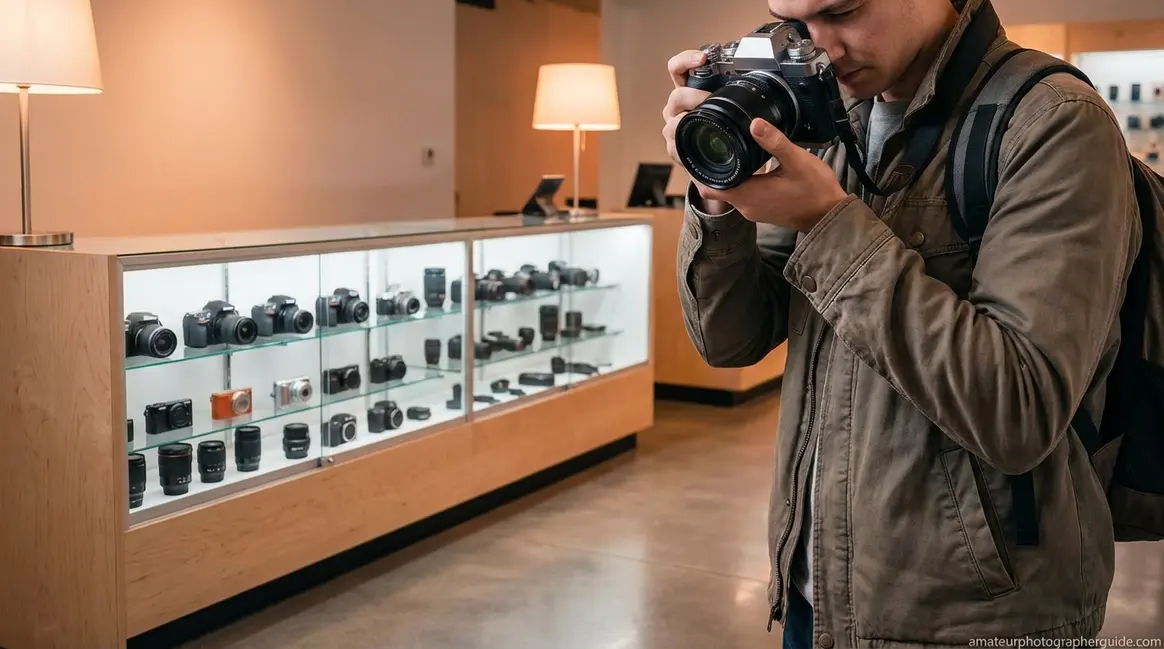
Ergonomics: If you have any opportunity to handle a camera before buying — in a store, at a camera club, from a friend — take it. The grip should feel secure in your hand. Buttons and dials should be reachable without awkward finger stretching. Some compact mirrorless bodies feel cramped for people with larger hands, and no spec sheet tells you that.
What this means for you: If you plan to shoot all day, DSLR battery life is a genuine advantage. If portability matters more, accept a shorter mirrorless battery life and simply buy a spare.
Step 4 — Match Your Persona to the Right Camera
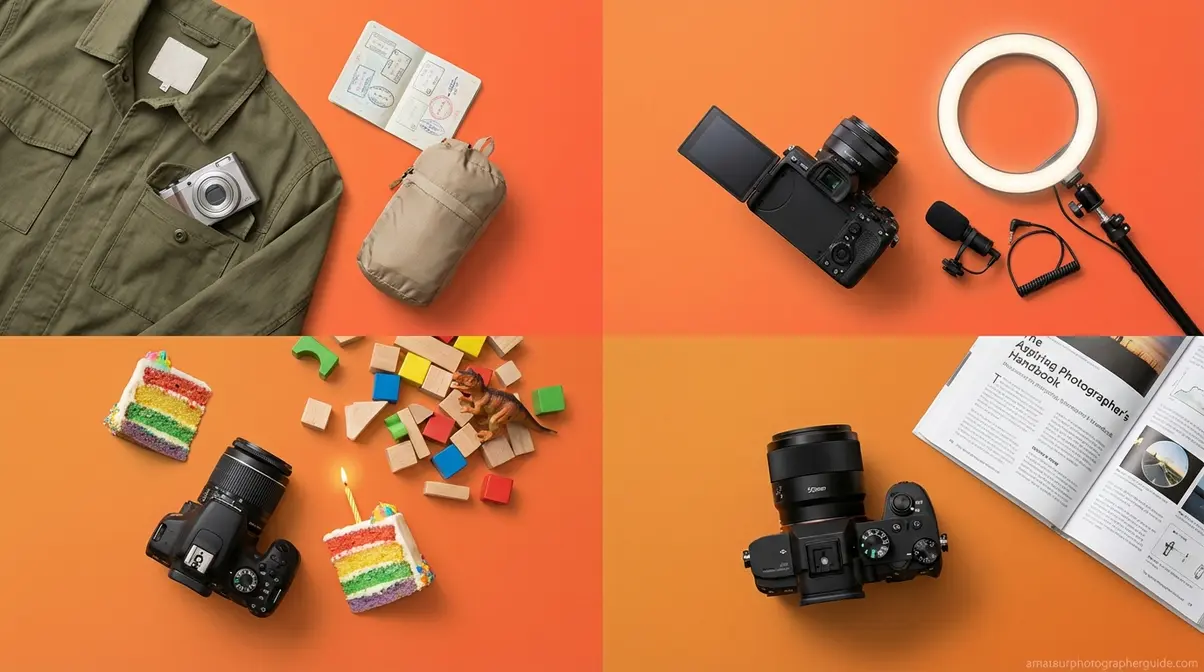
Here’s where The Persona-Budget Filter pays off. You’ve identified your type, set your budget, and chosen a camera category. Now let’s translate all of that into a specific direction for each persona, answering the core question of how to buy a digital camera for your situation.
The Canon EOS R10 remains one of the most recommended beginner mirrorless cameras in 2026 for photographers who want room to grow without breaking their budget. (amateurphotographerguide.com, 2026)
The Traveler
The Traveler’s priority is simple: the best possible photos in the smallest possible package. A camera you leave at the hotel because it’s too heavy is a camera that never takes a picture.
Recommended direction: Premium compact or small mirrorless.
- Canon PowerShot G7 X Mark III (~$879 at Canon USA, as of early 2026): A true pocket-size solution with a 1-inch sensor, 4K video, and a flip-out screen for selfies and travel vlogging. Fits in a jacket pocket.
- Sony ZV-E10 with 16-50mm kit lens (~$788 with kit, as of early 2026): For Travelers open to a small mirrorless, this offers interchangeable lenses without a heavy body.
Must-have features: Flip screen for awkward angles, at least 3x optical zoom, lightweight lens, and a compact carrying pouch that goes everywhere the camera does.
What to avoid: Heavy DSLR bodies. You won’t carry them consistently, and missed shots are the worst outcome of any camera purchase.
Content creators have a very different list of priorities — the flip screen matters for a different reason entirely.
The Vlogger / Content Creator
The Vlogger’s camera is their production studio. It needs to perform reliably across an entire filming session, look good on screen, and keep up with an active, on-the-move creator. If you’re searching for how to buy a digital video camera for the first time, this section answers that question directly.
Recommended direction: Mirrorless or premium compact with video-first features.
Five essential vlogging features — all five are required:
- Flip screen (articulating LCD) — so you can frame yourself while filming without guessing
- Clean HDMI out — connects to an external recorder for higher-quality footage when needed
- 4K video at 30fps or higher — the current standard for YouTube and professional social content
- Tracking autofocus — keeps your face sharp while you walk, gesture, and move around
- USB-C charging — charge from a power bank mid-shoot without stopping
- Recommended models (as of early 2026):
- Sony ZV-E10 (~$799 body only): Purpose-built for vlogging with all five features above, plus a large APS-C sensor for quality in varied lighting
- Canon EOS R50 (~$700 with kit lens): Includes a Content Creator Kit variant; strong tracking AF and excellent 4K quality
According to beginner camera recommendations from Tom’s Guide (2026), flip-screen and tracking autofocus are the two features content creator beginners most frequently wish they’d prioritized from the start.
Budget note: Add $50–$100 for an external microphone. Built-in camera microphones are the weakest link in every beginner setup — wind noise and room echo will undermine otherwise excellent footage.
If your primary goal is capturing family moments rather than creating content, a very different set of priorities applies.
The Family Photographer
The Family Photographer needs one thing above all else: a camera that gets the shot before the moment disappears. Kids move fast. Indoor lighting is usually dim. And at least one other family member will borrow the camera and need to figure it out quickly.
Recommended direction: Beginner mirrorless or entry DSLR.
- Canon EOS Rebel T7 (~$350–$400 with kit lens, as of early 2026): A reliable, budget-friendly DSLR with easy automatic modes that anyone can use
- Canon EOS R10 (~$999): For families willing to invest more, the mirrorless autofocus tracking is noticeably superior for photographing children in motion
Must-have features: Phase-detection autofocus (fast enough to freeze a running toddler), good high-ISO performance for indoor shots without harsh flash, and easy automatic modes for non-technical users.
The 18-55mm kit lens that ships with most beginner cameras covers the full range of family situations — birthday parties, school events, backyard play, and holiday gatherings — without needing to swap lenses once.
What to avoid: Any camera with slow, hunting autofocus. “Hunting” means the lens searches back and forth before locking — by the time it does, the moment is gone.
For those who want to learn photography as a craft rather than just capture memories, the path looks meaningfully different.
The Aspiring Photographer
The Aspiring Photographer is buying a learning tool as much as a camera. Manual controls, a strong lens ecosystem, and room to grow matter more than any single spec.
Recommended direction: Beginner mirrorless with manual controls and a solid lens ecosystem.
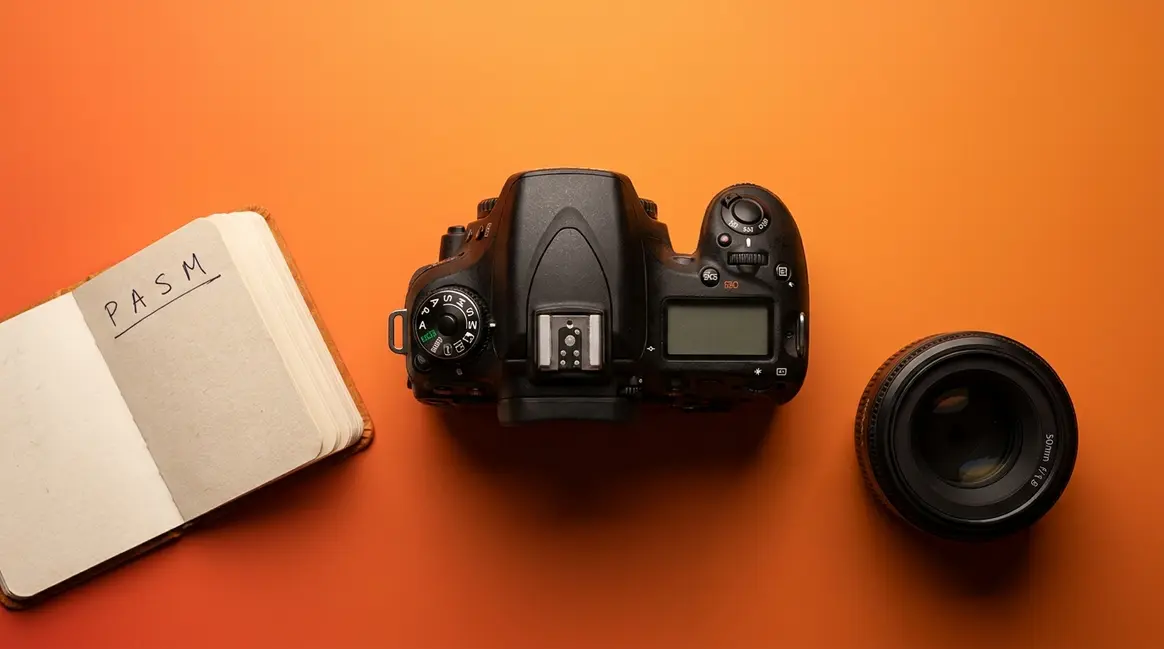
Key features to prioritize: Manual exposure controls — aperture (how much light enters the lens), shutter speed (how long the sensor is exposed), and ISO (the sensor’s sensitivity to light) — give you full creative control. RAW file support (a lossless image format that preserves maximum editing flexibility) lets you develop your photos with much more power than JPEG files allow. And access to a wide range of lenses means you can grow into wildlife photography, portrait work, or macro photography over time without switching systems.
- Recommended models (as of early 2026):
- Canon EOS R10 (~$999): A future-proof beginner mirrorless with full manual controls, dual-pixel AF, and access to Canon’s extensive RF and EF lens library via adapter
- Fujifilm X-T30 II (~$800 body): Popular among learners for its physical dials that replicate the intuitive feel of traditional cameras — many photographers find manual settings click faster on this body
Practical first step: Start with the kit lens. Once comfortable, invest in a 50mm f/1.8 prime lens ($100–$200 in most ecosystems). The background blur (bokeh) from that combination is what turns casual snapshots into portraits worth printing. According to Amateur Photographer’s beginner guide (2026), cameras with manual controls and RAW support are the most future-proof beginner choices.
What this means for you: Buy once, grow into. A well-chosen beginner mirrorless camera can serve you faithfully for five or more years.
Ready to buy? In Step 5, we’ll show you how to save 30–50% on your chosen camera by buying smartly — including the only safe way to buy secondhand.
Step 5: How to Save Money on Your Camera
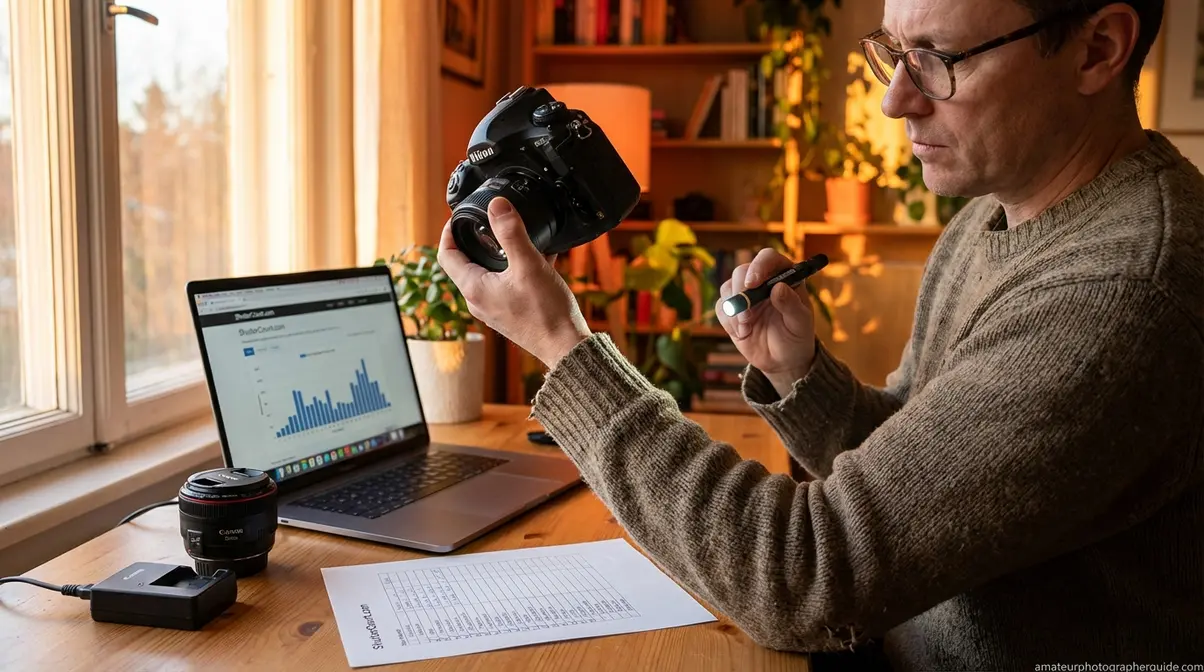
Buying a camera secondhand is one of the smartest financial decisions a beginner can make when learning how to buy a digital camera — if you do it right. The fear of being scammed is what keeps most people from exploring the used market, and that fear is costing them hundreds of dollars. This section gives you the exact tools to shop with confidence.
“Buying a camera secondhand, what should I test to make sure I don’t get scammed?” — A common question from beginner photographers in r/photography
Should You Buy Used? The Honest Answer
Digital cameras don’t wear out in any meaningful way at typical beginner use levels. The image sensor doesn’t degrade. The autofocus doesn’t lose accuracy. A used camera from a reputable seller functions identically to a new one.
The savings are real. Buying a used DSLR or mirrorless camera from a reputable seller like KEH Camera or MPB can cut your initial investment by 30–50% without sacrificing image quality. (amateurphotographerguide.com, 2026) A Canon EOS Rebel T7 that retails for $400 new regularly sells for $180–$250 in good condition. That $150–$200 in savings is better spent on a second lens, a quality bag, or extra batteries.
The risks are real but manageable. “Dirt on the sensor” (particles that appear as dark spots in photos), high shutter counts, and undisclosed lens damage are the main concerns. The checklist below addresses all of them — methodically.
10-Point Used Camera Checklist
The question beginner photographers in r/photography ask most frequently about the used market is exactly this: what do I check to make sure I don’t get scammed? Here’s the complete answer.
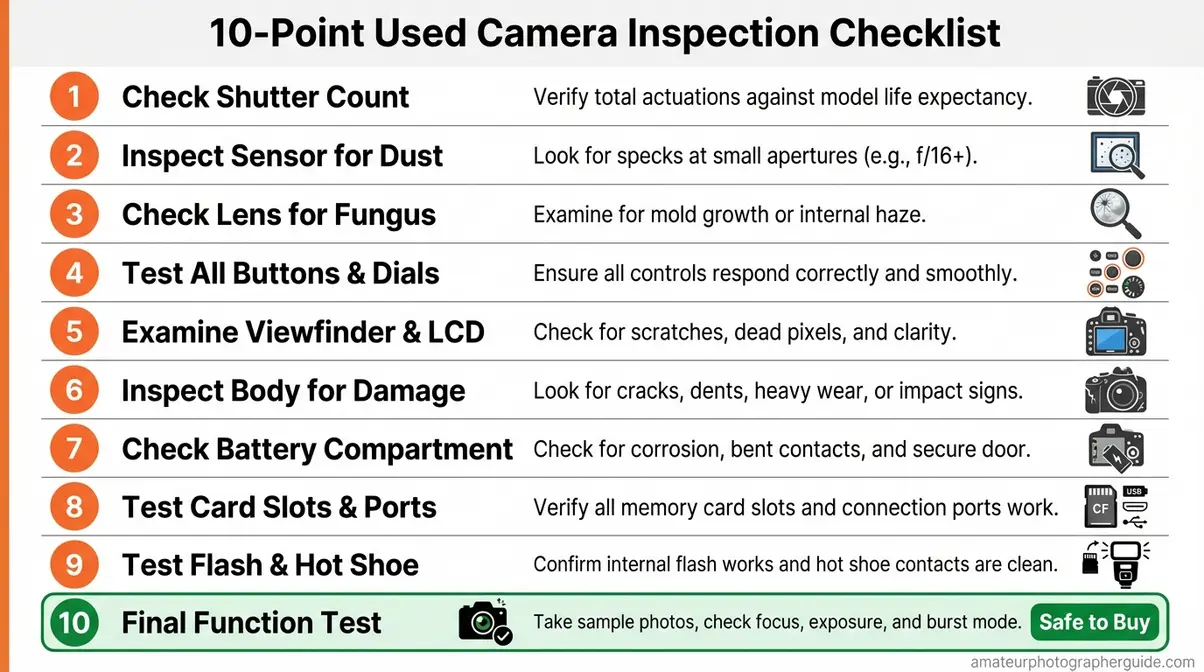
Caption: Print this checklist or open it on your phone before any used camera purchase — it covers every common defect that sellers may not disclose.
- Check the shutter count. Ask the seller, or find it yourself using sites like Camerashuttercount.com (works for many Canon, Nikon, and Sony models). Think of shutter count like mileage on a car — most camera shutters are rated for 100,000–200,000 actuations. Under 30,000 is excellent for a beginner camera.
- Inspect the sensor for dust. Take a test photo of a plain white wall or bright overcast sky at f/16. Dark spots in the resulting image indicate “dirt on the sensor.” Minor dust is cleanable ($50–$100 at most camera shops); heavy contamination is a negotiating point or a reason to walk away.
- Check the lens for fungus. Hold the lens up to a light source and look through it carefully. Hazy, web-like growths inside the glass = lens fungus. Fungus permanently degrades image quality, spreads over time, and is expensive to treat — often more than the camera is worth. Avoid any lens with visible fungus.
- Test all buttons and dials. Press every button. Turn every dial. Cycle through menus. Unresponsive controls are a sign of heavier use or damage than the seller is disclosing.
- Test the autofocus. Take 10 photos of a stationary subject and 10 of a moving one. Review the results on a laptop or large screen, not the camera’s LCD. Blurry photos across all shots suggest an AF alignment issue.
- Check the LCD screen. Look for dead pixels (persistent bright or dark dots), cracks, and screen responsiveness. A cracked LCD still functions but will cost $80–$150 to replace.
- Inspect the body for physical damage. Cosmetic scratches are normal and don’t affect performance. Deep dents near the lens mount, bent mount contacts, or damage near the battery compartment are red flags for dropped or impact-damaged cameras.
- Test the battery. Confirm the battery is genuine (not a cheap counterfeit — check the label and markings carefully) and holds charge through at least 150 shots during your test. Counterfeit batteries are a safety risk and often fail within months.
- Confirm what’s included. Original charger, memory card, lens cap, straps, and kit lens (if advertised). Missing chargers cost $20–$40 to replace; missing lenses are a more significant gap in value.
- Ask about the return policy. Reputable sellers like KEH Camera and MPB offer rated condition grades (Like New, Excellent, Very Good, Good) and return windows. No return policy from a private seller is a significant risk.
Per the FTC notice on deceptive practices, failure to disclose known defects in used merchandise can constitute an unfair or deceptive practice. Reputable platforms hold sellers to this standard — one more reason to start with established marketplaces.
Where to Buy a Used Camera Safely
- Reputable dedicated sellers (lowest risk):
- KEH Camera — grades every item (Like New / Excellent / Very Good / Good) with a clear return policy. One of the most trusted used camera marketplaces in the US.
- MPB — similar grading system and strong return policy. UK-origin but ships widely to US buyers.
- B&H Photo and Adorama — both major US camera retailers sell certified used gear with warranties.
- Peer-to-peer (higher risk — use with the checklist):
- eBay: Stick to sellers with 99%+ feedback ratings. Use the 10-point checklist above during any in-person inspection. Buyer protection policies offer some coverage if a camera arrives misrepresented.
- Facebook Marketplace / Craigslist: Meet in a public place (police station parking lots are increasingly popular for this). Never prepay. Bring the checklist and test everything before handing over money.
What to avoid: “Camera lots” of untested gear, overseas sellers with no return policy, and deals that seem suspiciously cheap — lens fungus and sensor damage often explain prices that seem too good to be true.
Budget Tiers: What to Expect
Before finalizing your purchase, run the specific used model through The Persona-Budget Filter one more time: does this particular camera match your persona’s priorities at this price? Here’s what each budget tier realistically delivers:
| Budget | What You Get | Best For |
|---|---|---|
| Under $200 | Used entry DSLR (Nikon D3200, Canon Rebel T3i) — APS-C sensor + kit lens + basic video | Beginners learning on a tight budget |
| $200–$400 | Used mid-range DSLR or older mirrorless (Sony A6000 used) — mirrorless features at DSLR prices | Those wanting mirrorless quality without mirrorless pricing |
| $400–$700 | Current-gen entry mirrorless new or lightly used — strong AF, 4K video, modern features | Most readers — the sweet spot |
| $700–$1,000 | Current-gen mirrorless with advanced AF and video | Vloggers and Aspiring Photographers |
| Over $1,000 | Semi-professional territory | Committed enthusiasts — not a first camera |
Common Mistakes First-Time Camera Buyers Make
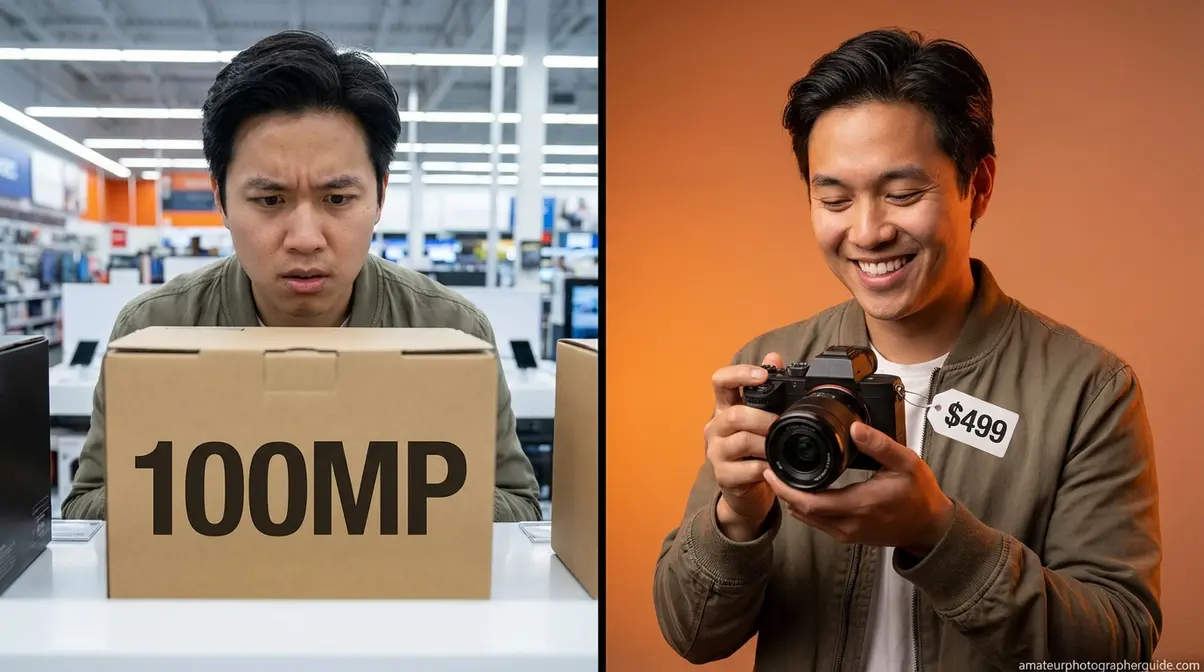
Even with the best intentions, beginner buyers fall into predictable traps. These aren’t signs of foolishness — they’re just the result of not knowing what the camera industry doesn’t advertise clearly.
Buying for Megapixels Alone
Most beginners assume a higher megapixel count equals better photos. This is one of the most persistent myths in consumer camera marketing, and it costs beginners real money.
A 24MP APS-C sensor will outperform a 36MP phone-sized sensor in low-light situations every single time. The physical size of the sensor — how much light it can physically gather — matters far more than the number of pixels packed onto it. Cramming more pixels onto a small sensor actually increases noise in low light, producing grainier images.
Practical rule: any camera with 20MP or more has more than enough resolution for social media posts, prints up to 16×20 inches, and personal photography projects. Stop counting megapixels and start asking about sensor size.
Overlooking the True Cost
The second-most common mistake is budgeting for the camera body alone. The VoC insight “wasted $400” almost always describes someone who bought a body, discovered they needed a fast memory card, a bag, and a spare battery on top of it, and then felt the camera “didn’t perform” because the SD card was too slow for burst shooting or the kit lens was limiting their results.
Budget approximately 25–30% of your camera body price for accessories in your first year. For a $500 camera, that’s $125–$150 for cards, batteries, a bag, and possibly a basic prime lens. For interchangeable-lens buyers, plan for at least one lens upgrade within 12–18 months — the kit lens will take you far, but a 50mm f/1.8 prime ($100–$200) opens up portrait photography in a way the kit lens cannot match.
When a Smartphone Is the Right Choice
Balance matters in any honest guide. There are two specific scenarios where a dedicated camera is the wrong answer:
- You share photos exclusively on Instagram or TikTok and never print them. Modern flagships — iPhone 16 Pro, Samsung Galaxy S25 — produce images that are genuinely outstanding for web-resolution sharing. A dedicated camera won’t transform content that your audience views at 1080px wide on a phone screen.
- Your budget is under $150 and cannot be stretched. A cheap, new compact camera in this range will often disappoint more than a good smartphone camera. At that price, quality control and sensor performance lag behind current phone hardware.
As WIRED’s camera guide notes (2026), modern flagship smartphones have genuinely narrowed the gap for everyday social sharing. Dedicated cameras remain most valuable for optical zoom, low-light performance, and creative control — the areas where physics still favor larger sensors and real glass. We’d rather help you make the right call than point you toward a purchase that doesn’t fit your life.
Frequently Asked Questions
What do I need to know before buying a digital camera?
Before buying a digital camera, understand that your use case matters more than any specification on the box. Choose a camera type first — mirrorless for most beginners, DSLR for budget shoppers, compact for travelers — then evaluate sensor size, autofocus speed, and video quality based on your specific needs. Set a total budget that includes accessories like memory cards, a spare battery, and a bag, not just the camera body price. Starting with your persona saves both money and frustration.
What is the best digital camera to get for beginners?
The best beginner digital cameras in 2026 are the Canon EOS R10 for mirrorless users and the Canon EOS Rebel T7 for DSLR fans. Vloggers often prefer the Sony ZV-E10 for its video features. Ultimately, the right choice depends on matching the camera’s strengths to your personal photography goals and budget.
How to pick a good digital camera?
To pick a good digital camera, first define your main photography goal and set a realistic total budget. Next, choose a camera type (mirrorless, DSLR, or compact) that fits your lifestyle. Finally, compare key features like sensor size (APS-C is great for beginners), autofocus speed, and video quality. Handling a camera in-store can also help you decide if it feels right.
What is better, a 4K or 12MP camera?
4K and 12 megapixels measure completely different things. 4K is a video resolution, offering high detail for moving footage. 12 megapixels (12MP) is a still photo resolution, which is more than enough for sharp prints and online sharing. Most modern cameras provide both, so you don’t have to choose between them.
Choosing Your Camera With Confidence
For beginners who are fairly new to photography, the process of buying a digital camera in 2026 is far less complicated than the camera aisle suggests — once you start with your persona instead of the spec sheet. The digital camera market is growing at a 4.8% CAGR through 2026 (Grand View Research, 2026), and entry-level options from Canon, Sony, and Nikon have never delivered better image quality at their price points. The Canon EOS R10 and Canon EOS Rebel T7 cover most beginner use cases across all four personas in this guide (amateurphotographerguide.com, 2026).
The Persona-Budget Filter works because it forces you to answer “who am I as a photographer?” before “which camera has the best numbers?” That single shift in question order is why some beginners buy confidently and love their cameras — and why others feel they wasted $400 on something that never fit their life. The filter removes the guesswork by making your daily photography habits the decision criteria, not a manufacturer’s marketing priorities.
Your next step: visit a local camera shop and ask to handle two or three models from your persona’s recommendation list. Notice which one feels most natural in your hands. Alternatively, order from KEH Camera or MPB — both offer clearly rated condition grades and return windows, making your first secondhand purchase a genuinely low-risk experience. Either way, you now have everything you need to buy with confidence.

Dave King
Hi, I'm Dave, the founder of Amateur Photographer Guide. I created this site to help beginner and hobbyist photographers build their skills and grow their passion. Here, you’ll find easy-to-follow tutorials, gear recommendations, and honest advice to make photography more accessible, enjoyable, and rewarding.