
Table of Contents
This blog post may contain affiliate links. As an Amazon Associate I earn from qualifying purchases.
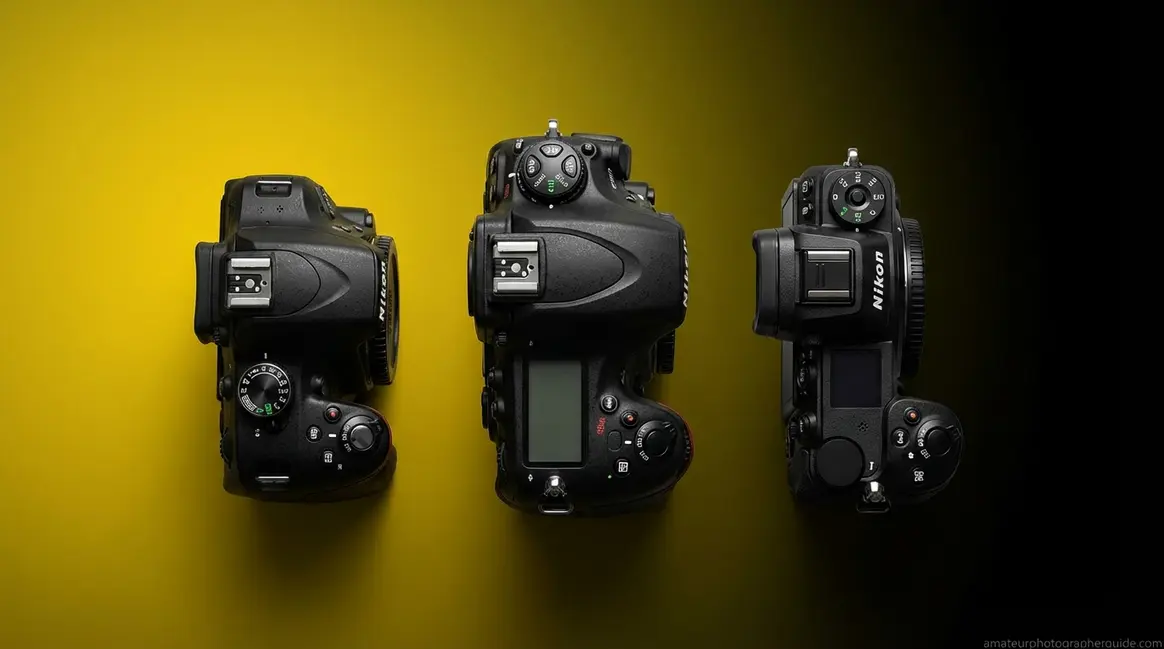
Changing aperture on a Nikon sounds like it should be obvious — until you’re standing there rotating every dial on the camera and the f-stop number refuses to budge. When figuring out how to change aperture nikon cameras offer a few different methods depending on your model.
“I want to have semi manual settings in U3 mode. That way I leave manual mode alone. However, I can’t figure out how to make Exposure and Aperture be manual.” — Nikon community member
That frustration is completely legitimate, because Nikon uses three physically different methods to control aperture depending on your camera body — and the manual never tells you which one you have. This guide covers the full range from the D3100 to the Z9, so you’ll find your exact model. By the end, you’ll know the precise dial combination for your specific Nikon — whether it’s a D3500, D7500, or Z50 — and be able to change aperture in under 10 seconds. We’ve organized everything using The Dial Tier System, so scroll directly to your model’s tier below.
Estimated Time: 5-10 minutes
Tools Needed: Your Nikon camera body, a compatible Nikon lens
When learning how to change aperture nikon models use one of three methods — knowing your camera’s Dial Tier tells you which steps to follow.
- Single-dial bodies (D3000/D5000 series): Hold the +/− button and rotate the rear dial in Manual mode; rotate the rear dial freely in Aperture Priority
- Dual-dial bodies (D7000/D750/D850): Rotate the front sub-command dial directly — no button hold needed
- Z-series mirrorless (Z50/Z6/Z7): Rotate the front command dial in A or M mode
- First step for all models: Set your mode dial to A (Aperture Priority) or M (Manual) — aperture is locked in Auto (P) mode
Before You Start: Nikon Aperture Basics
Every Nikon camera falls into one of three tiers based on how it physically controls aperture, and the method is entirely different depending on which tier your body belongs to. According to Nikon USA’s aperture guide, adjusting aperture in manual or aperture priority modes allows photographers to fine-tune exposure while maintaining creative control (2026). Before touching any dial, confirm two things: your shooting mode and your camera tier. For a deeper dive, read our comprehensive guide on how to change the aperture on your Nikon camera.
“The steps in this guide were verified by our team using the Nikon D3500 (single-dial), Nikon D7500 (dual-dial), and Nikon Z50 (Z-series mirrorless). Where steps differ between specific models within a tier, we note the variation.”
We call this organizing principle The Dial Tier System — once you know your tier, every step below takes under 30 seconds. Find your camera tier in the sections below, starting with entry-level single-dial bodies.
What Aperture Does to Your Shot
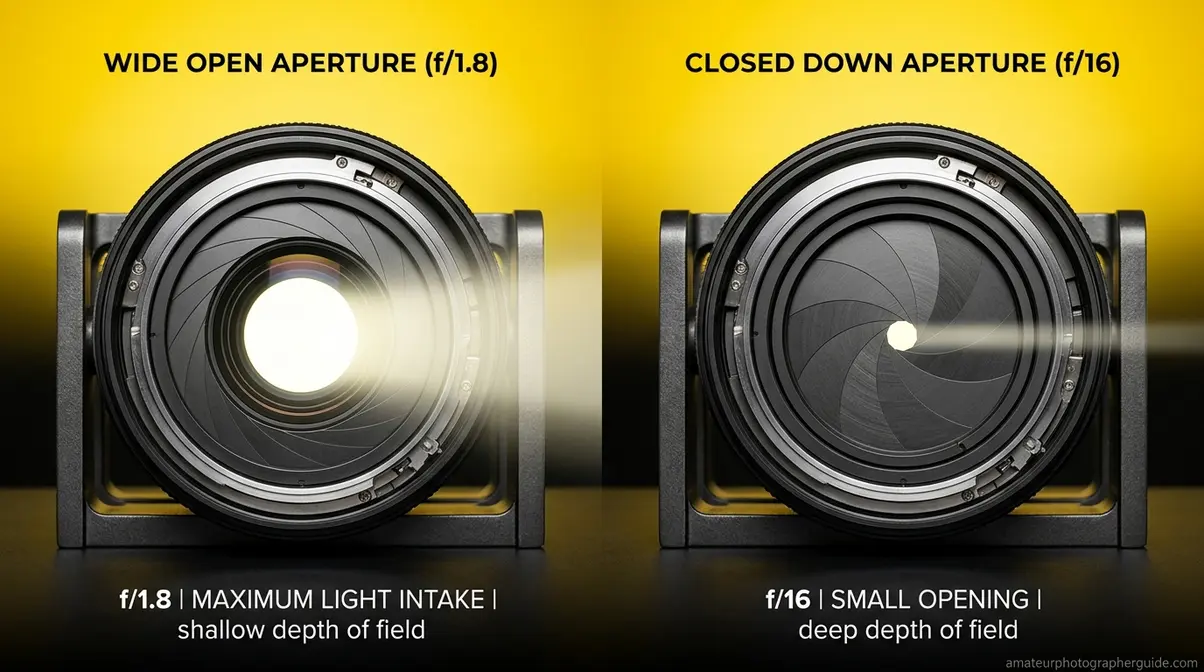
To understand the fundamentals of aperture, start with the inverse relationship: a lower f-stop number means a wider opening. At f/1.8, your lens is wide open — letting in maximum light and producing a shallow depth of field that blurs backgrounds beautifully. At f/16, the opening is small — less light enters, but everything from your subject to the horizon stays sharp.
In Aperture Priority (A) mode, you set the f-stop — the numerical value that represents your aperture setting — and the camera automatically selects the matching shutter speed. For portraits, shooting at f/1.8 isolates a face against a soft, blurred background. For a landscape, f/11 keeps foreground rocks and distant mountains equally sharp. The diagram below shows how aperture fits into the exposure triangle alongside shutter speed and ISO.
Caption: The exposure triangle shows how aperture (f-stop), shutter speed, and ISO interact on every Nikon camera — changing one value affects the others.
Aperture controls depth of field — the single most powerful creative variable in portrait and landscape photography (Nikon USA, 2026).
Now that you know what aperture controls, the next step is selecting the shooting mode that actually lets you change it — because in Auto mode, the f-stop is completely locked.
Which Mode Unlocks Aperture Control
Nikon’s mode dial has four positions that matter here. Only two of them give you direct aperture control:
| Mode | Label | Who Controls Aperture? |
|---|---|---|
| Program Auto | P | Camera (locked) |
| Shutter Priority | S | Camera (locked) |
| Aperture Priority | A | You |
| Manual | M | You |
If you’re transitioning from Auto, start with A mode rather than M. In A mode, you set the f-stop and the camera handles shutter speed — you get creative control without juggling two variables simultaneously. How to change shutter speed on Nikon is a separate adjustment; in A mode, you don’t need to think about it at all. Once A mode feels natural, switch to M for full control of both values. Set your mode dial to A or M now, before reading the tier-specific steps below.
Entry-Level Nikons: The Single-Dial Method
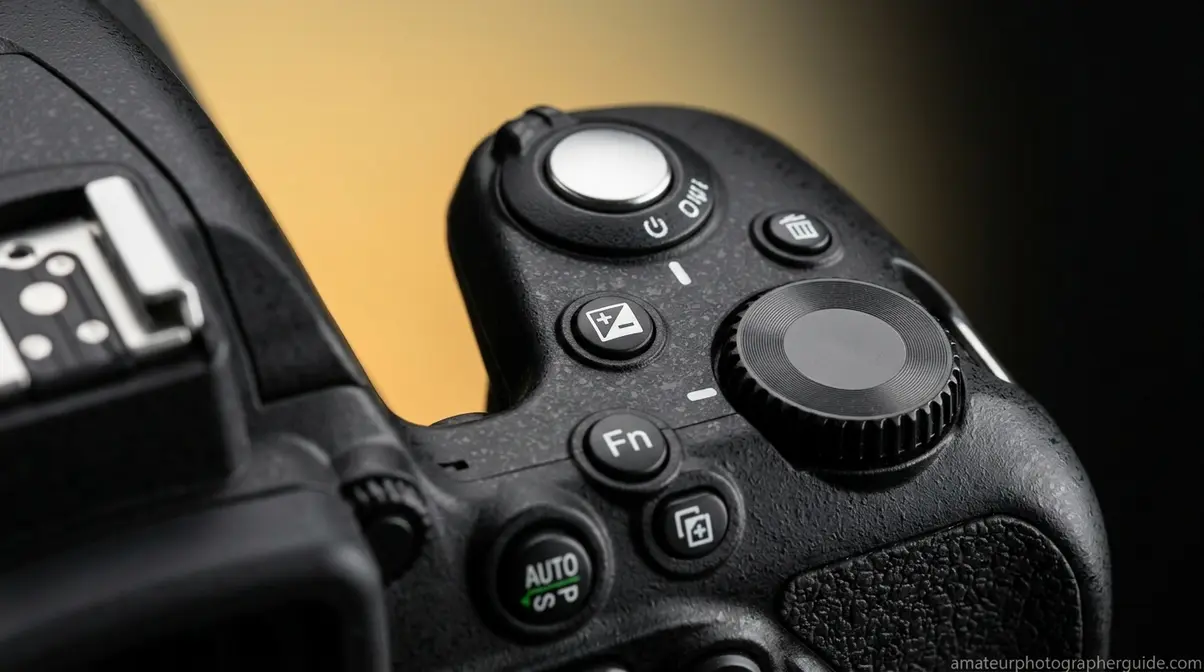
Tier 1 of The Dial Tier System covers the D3000, D3100, D3200, D3300, D3400, D3500, D5100, D5200, D5300, D5500, D5600, and D5700 series. If you are researching how to change aperture nikon entry-level DSLRs require a specific button combination. These bodies have one rear command dial and no front sub-command dial. According to the Nikon D3500 online manual, aperture adjustment in this tier works differently depending on whether you’re in A mode or M mode — a distinction that catches most new owners off guard. Mastering this is a key part of any basic camera settings guide for beginners.
Caption: On single-dial Nikon bodies like the D3500, the rear command dial controls aperture in A mode; in Manual mode, hold the +/− button while rotating it.
In Aperture Priority Mode (A)
In A mode, the single-dial method is straightforward. Our team verified these exact steps on the D3500 and D5600:
- Turn the mode dial to A (Aperture Priority).
- Look at the top LCD panel or viewfinder — you’ll see the current f-stop value (e.g., f/5.6).
- Rotate the rear command dial left to decrease the f-number (wider aperture, blurrier background).
- Rotate the rear command dial right to increase the f-number (narrower aperture, sharper background).
- Half-press the shutter button to confirm the camera has set a matching shutter speed.
No button holds required in A mode. The D3100 and D3300 follow the same steps — how to change aperture on Nikon D3100 and D3300 is identical to the D3500 in Aperture Priority. User consensus across Nikon communities (Reddit r/Nikon, NikonCafe) confirms that the most common mistake here is accidentally being in P mode, where rotating the dial changes the program shift rather than the f-stop.
In Manual Mode (M)
Manual mode on single-dial bodies requires a button hold, because the single rear dial is already assigned to shutter speed. This is the source of significant confusion for D3200 and D5100 owners:
- Turn the mode dial to M (Manual).
- Set your desired shutter speed first by rotating the rear command dial freely.
- To switch control to aperture, hold the +/− exposure compensation button (the small button near the shutter release, marked with a +/− symbol).
- While holding the +/− button, rotate the rear command dial — left for a lower f-number (wider), right for a higher f-number (narrower).
- Release the +/− button. The f-stop value is now locked at your chosen setting.
- Check exposure using the in-viewfinder meter bar and adjust as needed.
The D3500 Digitutor from Nikon Imaging confirms: “To adjust aperture, keep the button pressed while rotating the command dial (left for larger apertures/lower f-numbers and right for smaller apertures/higher f-numbers).” Note that in Live View, aperture adjustment may not respond with the kit lens — switch to viewfinder shooting, set your aperture, then return to Live View if needed.
How do you change the aperture on a Nikon D3500?
On the Nikon D3500, changing aperture depends on which mode you’re in. In Aperture Priority (A) mode, simply rotate the rear command dial — left for a lower f-number, right for a higher one. In Manual (M) mode, hold the +/− exposure compensation button (near the shutter release) and rotate the rear command dial simultaneously. The Nikon D3500 online manual confirms this button-hold method is required in Manual mode because the single rear dial is assigned to shutter speed by default.
Mid-Range & Pro Nikons: The Dual-Dial Method
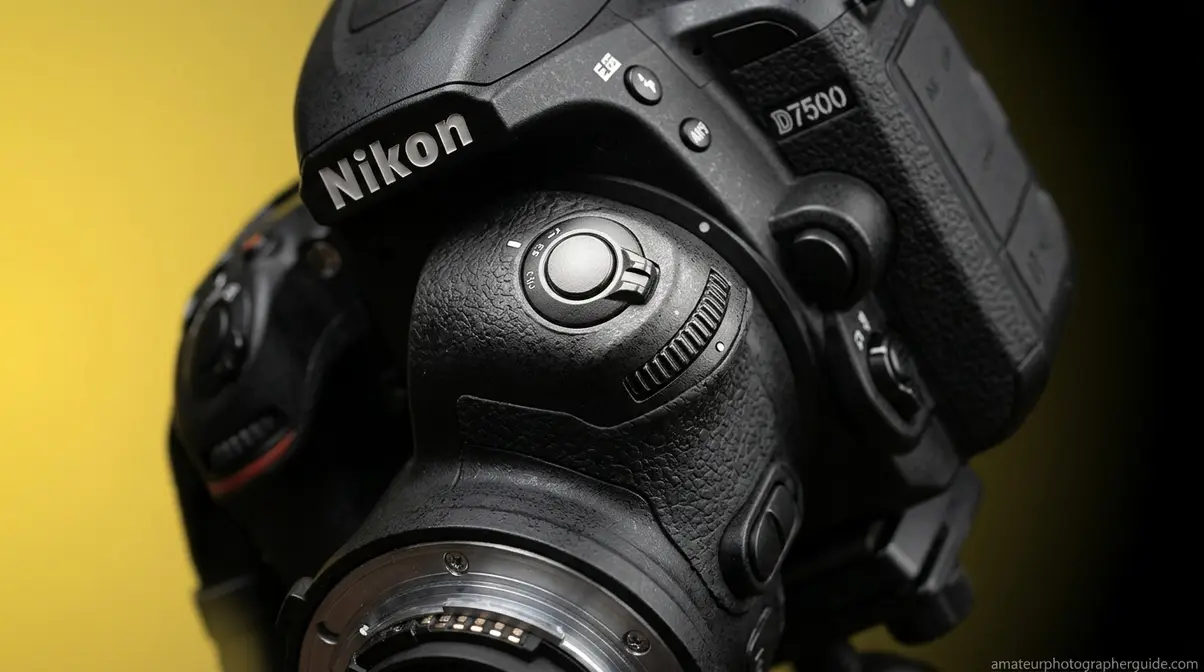
Tier 2 of The Dial Tier System includes the D7000, D7100, D7200, D7500, D600, D610, D750, D800, D810, D850, D500, and D6. For those wondering how to change aperture nikon pro bodies make the process seamless. These bodies feature two command dials: a main command dial (rear, under your thumb) and a sub-command dial (front, under your index finger). The dual-dial design eliminates the button-hold step entirely. This layout is a staple across our guide to Nikon’s enthusiast and pro lineup.
Caption: Dual-dial bodies like the D7500 and D750 assign the front sub-command dial to aperture and the rear main dial to shutter speed — no button holds required.
Aperture Priority on Dual-Dial Bodies
In A mode on a Tier 2 body, aperture control is assigned to the front sub-command dial (the front dial near your index finger) by default:
- Set the mode dial to A (Aperture Priority).
- Locate the sub-command dial on the front of the grip, just below and behind the shutter button.
- Rotate it left (counterclockwise) for a lower f-number (wider aperture).
- Rotate it right (clockwise) for a higher f-number (narrower aperture).
- The rear main command dial does nothing to aperture in A mode — it adjusts exposure compensation on some bodies.
How to change f in Nikon D750 follows this exact pattern. The D7500 Digitutor from Nikon Imaging documents this assignment clearly for all mid-range bodies in the tier.
Manual Mode on Dual-Dial Bodies
Manual mode is where the dual-dial design truly pays off. You control shutter speed and aperture independently, with no button holds:
- Set the mode dial to M (Manual).
- Rear main command dial → controls shutter speed.
- Front sub-command dial → controls aperture (f-stop).
- Rotate each dial independently until the in-viewfinder exposure meter centers at zero.
How do you change shutter speed and aperture on a Nikon D750? Exactly this way — rear for speed, front for aperture, simultaneously if needed. If your custom settings have swapped the dial assignments (a common configuration change), go to Custom Setting Menu → f Controls → f7 (or f8 depending on firmware) → Reverse Indicators, and restore defaults. The sub-command dial assignment can also be customized under “Customize Command Dials,” but the factory default is front = aperture.
How do I change the f-stop on a Nikon D750?
The Nikon D750 uses a dual-dial system — no button holds required. In Aperture Priority mode, rotate the front sub-command dial (the front dial near your index finger) to change the f-stop. In Manual mode, the front sub-command dial still controls aperture while the rear main command dial controls shutter speed. This two-dial separation is the defining advantage of Tier 2 bodies: you can adjust both values independently without taking your eye from the viewfinder.
Z-Series Mirrorless & Coolpix: Modern Interface
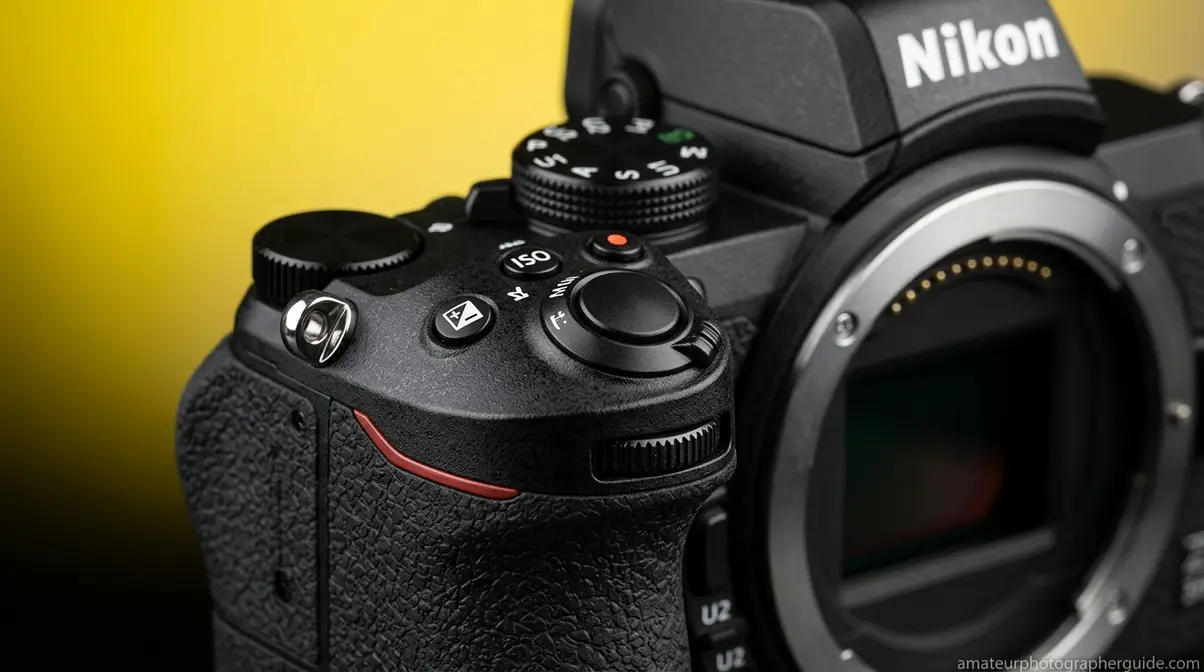
Tier 3 of The Dial Tier System covers all Nikon Z-mount mirrorless bodies — Z30, Z50, Z5, Z5 II, Z6, Z6 II, Z6 III, Z7, Z7 II, Z8, Z9 — plus Coolpix point-and-shoot cameras. If you want to understand how mirrorless camera systems work, the Z-series interface is a great starting point. The Z-series interface is closer to Tier 2 than Tier 1, but with some important differences in dial labeling and customization options.
Nikon Z-Series Mirrorless Bodies
Z-series bodies use a two-dial system similar to Tier 2, but the dial labels and positions differ slightly by model. According to the Nikon Z6/Z7 online manual, in Manual mode the main command dial controls shutter speed and the sub-command dial sets aperture — the same logic as Tier 2 DSLRs.
Caption: The Nikon Z50 uses its front command dial for aperture in A mode — a clean interface that no competitor guide currently documents for Z-series owners.
To change aperture on a Nikon Z50, Z6, or Z7:
- Set the mode dial to A (Aperture Priority) or M (Manual).
- In A mode: rotate the front command dial to change the f-stop.
- In M mode: rotate the front command dial for aperture; rotate the rear command dial for shutter speed.
- If the front dial does nothing in A mode, check Custom Settings → f Controls → f4 (Z50) or f5 (Z6/Z7) → Customize Command Dials. Confirm the aperture lock is not engaged.
- If aperture remains locked, navigate to Custom Settings → f4 (Z50) → Shutter Speed & Aperture Lock and verify the aperture lock toggle is OFF.
A recurring issue reported on DPReview’s Z50 forum: the aperture lock toggle is easy to switch accidentally, causing the front dial to feel unresponsive. Disabling it immediately restores control. Z-series bodies also support power aperture via the touchscreen — tap the f-stop value on the rear monitor and swipe to adjust.
Nikon Coolpix Point-and-Shoot Cameras
Most Coolpix cameras (B600, P950, P1000) do not offer a dedicated aperture control in the traditional sense — they lack a physical mode dial with A or M positions. On models that do offer manual exposure (P950, P1000), aperture is adjusted through the rear control ring or a dedicated dial when in M mode. Check your specific Coolpix model’s menu under Shooting Menu → Exposure Mode to confirm whether aperture adjustment is available. Entry-level Coolpix cameras like the A10 and B500 are fully automatic and do not allow f-stop changes.
Troubleshooting: When Aperture Won’t Change
A recurring frustration reported across r/Nikon and NikonCafe forums is the f-stop appearing greyed out or completely unresponsive — even after switching to A or M mode. Here are the most common causes and fixes, verified across D3000-series and Z-series bodies.
Common Reasons Aperture Is Locked
- Wrong shooting mode: Aperture is only adjustable in A and M modes. P mode and S mode lock the f-stop — confirm your mode dial position before troubleshooting anything else.
- Aperture lock engaged (Z-series): The Z50, Z6, and Z7 have a dedicated aperture lock that’s easy to toggle accidentally. Go to Custom Settings → f Controls → Shutter Speed & Aperture Lock and set aperture lock to OFF.
- Live View on entry-level bodies: On D3000/D5000 series cameras, the +/− button-hold method may not respond in Live View with certain kit lenses. Exit Live View, adjust aperture through the viewfinder, then re-enter Live View.
- Lens not communicating with body: If the camera displays “F–” or “fEE” in the viewfinder, the body cannot read the lens. This is almost always a D-type lens issue — see the Legacy Lenses section below.
- Maximum aperture reached: If the f-stop won’t go lower, you’ve reached the lens’s maximum aperture (e.g., f/5.6 on a kit zoom at full telephoto). Switch to a wider focal length or a faster lens to access lower f-numbers.
Legacy Lenses and the Aperture Ring
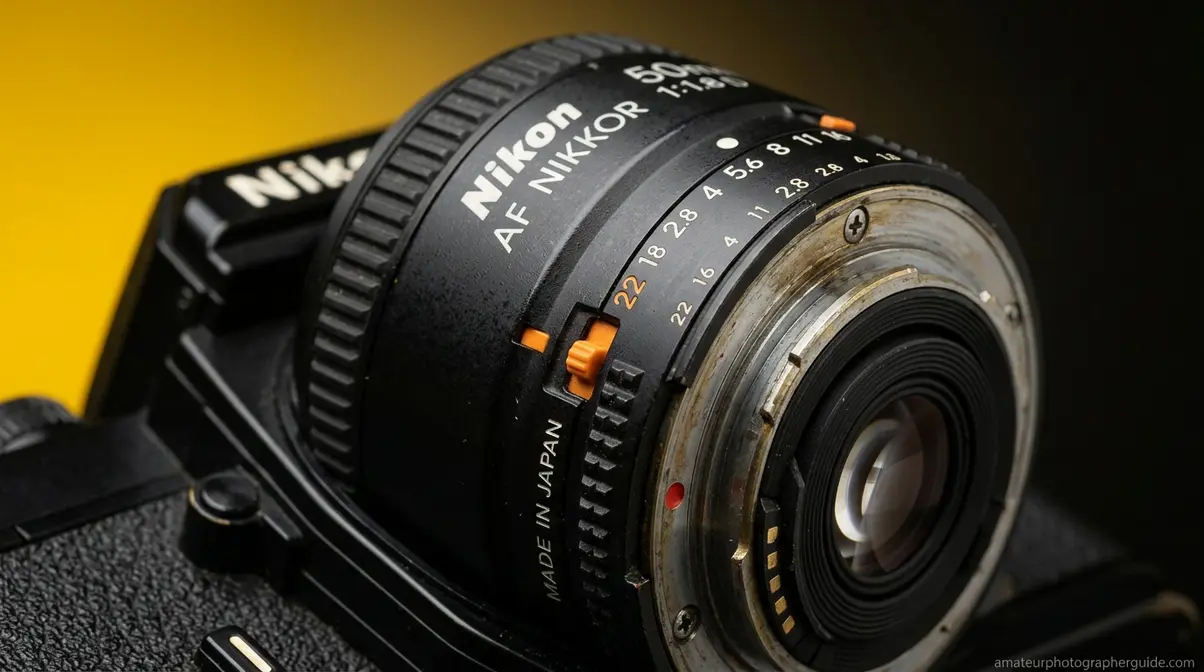
Older Nikon AF and AF-D lenses (D-type) have a physical aperture ring on the lens barrel. Modern Nikon DSLRs and Z-series bodies (with FTZ adapter) expect this ring to be set to its minimum aperture (the highest f-number, usually f/22) and locked there — allowing the camera body to control aperture via the command dial.
If you mount a D-type lens and see a “fEE” error or the aperture display shows dashes, the fix is straightforward:
- Rotate the aperture ring on the lens barrel to the minimum aperture position (highest f-number, typically labeled in orange — often f/22).
- Lock it there using the small orange lock tab on the ring.
- The camera body will now control aperture through the command dial as normal.
If you want to use the aperture ring for manual control (as on a film SLR), go to Custom Setting Menu → Controls → Aperture Ring, and enable aperture ring control. This allows you to bypass the command dial and set f-stop directly on the lens. Note that CPU lenses (G-type and newer) have no aperture ring at all — they always rely on the body’s command dial.
Frequently Asked Questions
Why can’t I change the aperture on my Nikon?
The most common reason aperture won’t change is that your camera is in the wrong shooting mode. Aperture is only adjustable in A (Aperture Priority) and M (Manual) modes, whereas in P and S modes, the camera locks the f-stop entirely. If you’re already in A or M mode and the dial still does nothing, check for an aperture lock in Custom Settings (Z-series) or confirm you’re using the correct button-hold method for single-dial bodies.
How do you change the aperture on a Nikon D5200?
The Nikon D5200 uses the same single-dial method as the D3500. In Aperture Priority (A) mode, rotate the rear command dial directly to change the f-stop. In Manual (M) mode, hold the +/− exposure compensation button while rotating the rear command dial — left for a wider aperture (lower f-number), right for a narrower aperture (higher f-number). The Nikon D5200 User’s Manual confirms this button-hold method for Manual mode. The D5100 and D5300 follow the identical procedure.
How do I change the aperture on a Nikon Z50?
On the Nikon Z50, set the mode dial to A or M, then rotate the front command dial to change the f-stop. In Aperture Priority mode, the front dial controls aperture directly, while in Manual mode, the front dial controls aperture and the rear dial controls shutter speed. If the front dial appears unresponsive, check Custom Settings → f4 → Shutter Speed & Aperture Lock and confirm the aperture lock is OFF. This is a common Z50 issue documented in DPReview forums where the lock toggle is easy to engage accidentally.
How do I change the aperture on a Nikon D5200 specifically?
The D5200 follows the Tier 1 single-dial method throughout the D5000 series. In A mode, rotate the rear command dial freely, and in M mode, hold the +/− button near the shutter release and rotate the rear command dial.
Is f/2.8 or f/4 better?
Neither is universally better — the right choice depends on your subject and available light. At f/2.8, your lens admits twice the light compared to f/4, enabling shutter speeds roughly one stop faster to freeze motion or shoot in dim conditions. The shallower depth of field at f/2.8 also isolates subjects more aggressively, which is ideal for portraits where background blur matters. At f/4, depth of field increases, keeping more of the scene in focus — preferable for group shots, landscapes, and static subjects where edge-to-edge sharpness is the priority (John Greengo Photography, 2020).
Putting It All Together
The Dial Tier System simplifies how to change aperture on Nikon cameras across every body from the D3100 to the Z9. Tier 1 single-dial bodies (D3000/D5000 series) require a +/− button hold in Manual mode. Tier 2 dual-dial bodies (D7000 series, D750, D850) give you direct front-dial control with no button holds. Tier 3 Z-series mirrorless bodies use the same front-dial logic as Tier 2 but add a touchscreen option and customizable dial assignments.
Once you’ve identified your tier, the physical steps take under 10 seconds. The most important prerequisite — one that resolves the majority of reported issues — is confirming your mode dial is set to A or M before touching any command dial.
Start in Aperture Priority (A) mode today. Set your lens to f/1.8 or f/2.8 for a portrait, then try f/8 for a landscape — the difference in depth of field will be immediately visible. When A mode feels intuitive, switch to M for complete control over both aperture and shutter speed. Your camera has been capable of this all along; you now know exactly which dial to turn.
