

Table of Contents
- Key Takeaways
- Understanding Exposure Compensation and Its Purpose
- Camera Modes That Support Exposure Compensation
- How Exposure Compensation Adjusts Image Brightness
- When and Why to Use Exposure Compensation
- Common Mistakes and Misconceptions to Avoid
- Master Exposure Compensation and Elevate Your Photography Skills Today
- Frequently Asked Questions
- Recommended
This blog post may contain affiliate links. As an Amazon Associate I earn from qualifying purchases.
Struggling to capture the vivid details of a snowy Canadian park or the rich shadows of a Paris street at dusk can leave even experienced photographers frustrated with their results. Exposure compensation offers a reliable way to overcome the limits of automatic camera settings and gives photographers the ability to fine-tune brightness in scenes where light conditions are less than ideal. Mastering this technique empowers you to produce images that reflect your creative vision, whether you are exploring outdoor adventures or composing challenging low-light shots.



Key Takeaways
| Point | Details |
|---|---|
| Understanding Exposure Compensation | Exposure compensation allows photographers to manually adjust camera exposure to improve image accuracy in challenging lighting situations. |
| EV Units | Exposure compensation is measured in EV units, typically from -3 to +3 stops, where positive values brighten an image and negative values darken it. |
| Camera Modes | Semi-automatic modes like aperture priority and shutter priority are best for applying exposure compensation effectively. |
| Common Mistakes | Many photographers mistakenly attempt to use exposure compensation in manual mode, where it is ineffective; understanding the proper use of modes is crucial. |
Understanding Exposure Compensation and Its Purpose
Photographers often encounter challenging lighting situations that can throw off their camera’s automatic exposure settings. Exposure compensation is a powerful technique that allows you to manually adjust your camera’s standard exposure reading to capture images more accurately in complex environments. Whether you’re shooting a bright snowscape or a dark forest scene, understanding how to manipulate exposure can dramatically improve your photographic results.
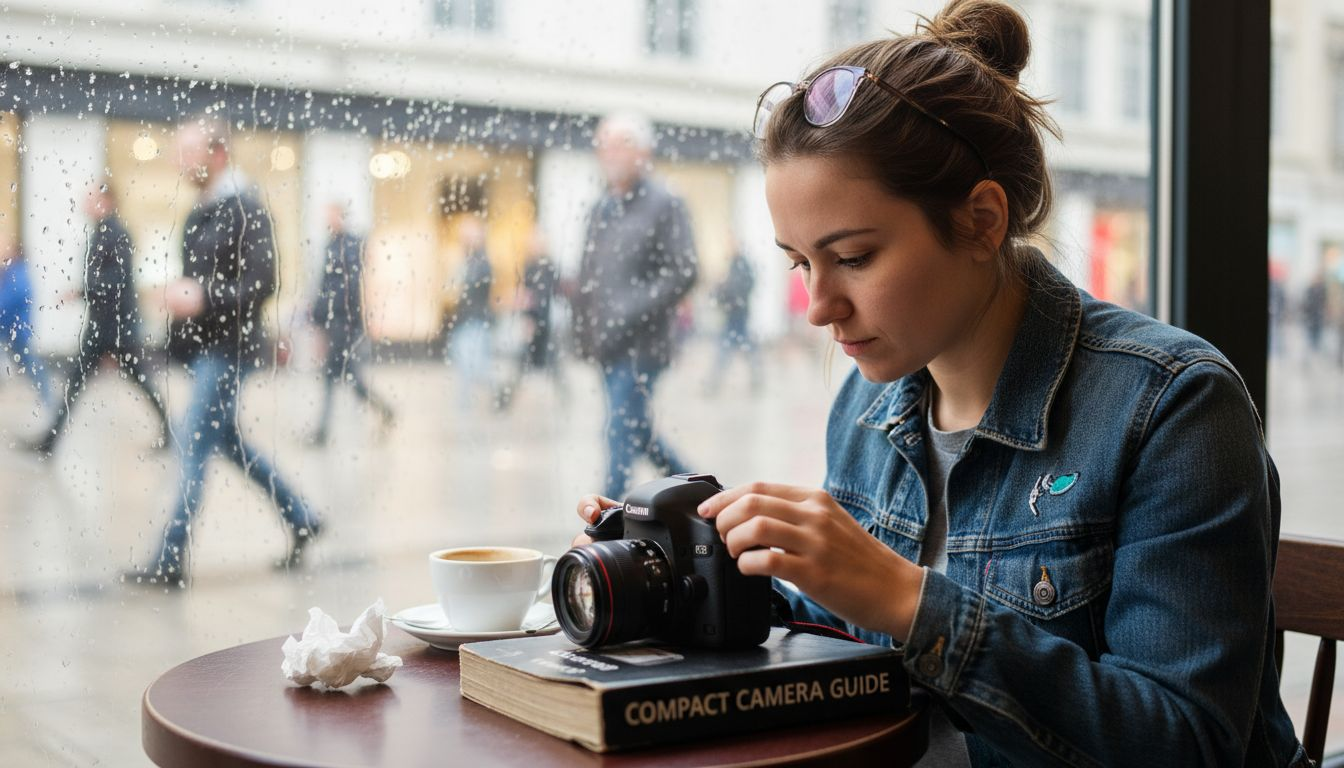
At its core, exposure compensation helps photographers override the camera’s built-in light meter when it fails to interpret a scene correctly. Cameras typically use reflective metering systems that assume every scene reflects an average amount of light. However, real world scenarios like high-contrast backgrounds, snow, or dark subjects can confuse these automated systems. By using exposure compensation, you can tell your camera to deliberately brighten or darken the image beyond its default calculation.
Exposure compensation is measured in EV units (Exposure Value), typically ranging from -3 to +3 stops. Positive values (+) increase exposure, making images brighter, while negative values (-) decrease exposure, creating darker images. For instance, when photographing a white subject like a polar bear against snow, you might need to add +1 or +2 EV to prevent the camera from underexposing and turning your subject gray. Conversely, when shooting a dark subject against a bright background, reducing exposure by -1 EV can help preserve detail and prevent washing out highlights.
The technique works differently depending on your camera’s shooting mode. In aperture priority or shutter priority modes, exposure compensation adjusts shutter speed or aperture to achieve the desired brightness. In fully automatic modes, the camera will dynamically modify settings to match your compensation instructions. Understanding exposure techniques can help photographers master this critical skill and take control of their image quality.
Pro tip: Always review your images immediately after shooting and use your camera’s histogram to confirm proper exposure, making small incremental adjustments as needed.
Camera Modes That Support Exposure Compensation
Photographers who want precise control over their images need to understand which camera modes best support exposure compensation. Not all shooting modes provide the same level of flexibility when adjusting exposure settings. Modern digital cameras typically offer several modes that enable photographers to fine-tune their exposure with relative ease.
The most flexible modes for exposure compensation are semi-automatic modes, specifically aperture priority (A or Av) and shutter priority (S or Tv). In aperture priority mode, you select the aperture while the camera automatically adjusts shutter speed. When using exposure compensation here, the camera will modify shutter speed to brighten or darken the image. Conversely, in shutter priority mode, you set the shutter speed and the camera adjusts aperture, allowing exposure compensation to work by changing the lens opening.
Program mode (P) also supports exposure compensation, functioning similarly to the semi-automatic modes. In this mode, the camera selects both aperture and shutter speed, but you can still override its automatic calculations. Camera modes guide provides deeper insights into how these different shooting modes interact with exposure settings. Manual mode (M) technically allows exposure adjustments, but photographers must independently modify aperture and shutter speed, making automatic compensation less straightforward.
Interestingly, most modern mirrorless and DSLR cameras display a live preview of exposure compensation changes, allowing you to see real-time adjustments before capturing the image. This feature helps photographers quickly understand how different EV values impact their final photograph, making the process more intuitive and immediate.
Pro tip: Practice using exposure compensation in different lighting conditions to develop muscle memory for quickly adjusting settings and understanding how small changes can dramatically improve image quality.
Here’s a quick comparison of how exposure compensation works in different camera modes:
| Camera Mode | Exposure Compensation Effect | User Control Level | Typical Use Case |
|---|---|---|---|
| Aperture Priority | Adjusts shutter speed | Semi-automatic | Portraits, landscapes |
| Shutter Priority | Changes aperture size | Semi-automatic | Sports, action photography |
| Program Mode | Modifies both aperture and shutter speed | Semi-automatic | General shooting situations |
| Manual Mode | No direct effect; user must adjust manually | Fully manual | Full creative control |
How Exposure Compensation Adjusts Image Brightness
Photographers often struggle with capturing accurate brightness in challenging lighting conditions, and exposure compensation provides a powerful solution for precisely controlling image luminosity. This technique allows photographers to manually override their camera’s automatic metering system, effectively telling the camera to brighten or darken an image beyond its default calculation. The core mechanism involves adjusting the amount of light reaching the camera’s image sensor, enabling more nuanced control over final image appearance.
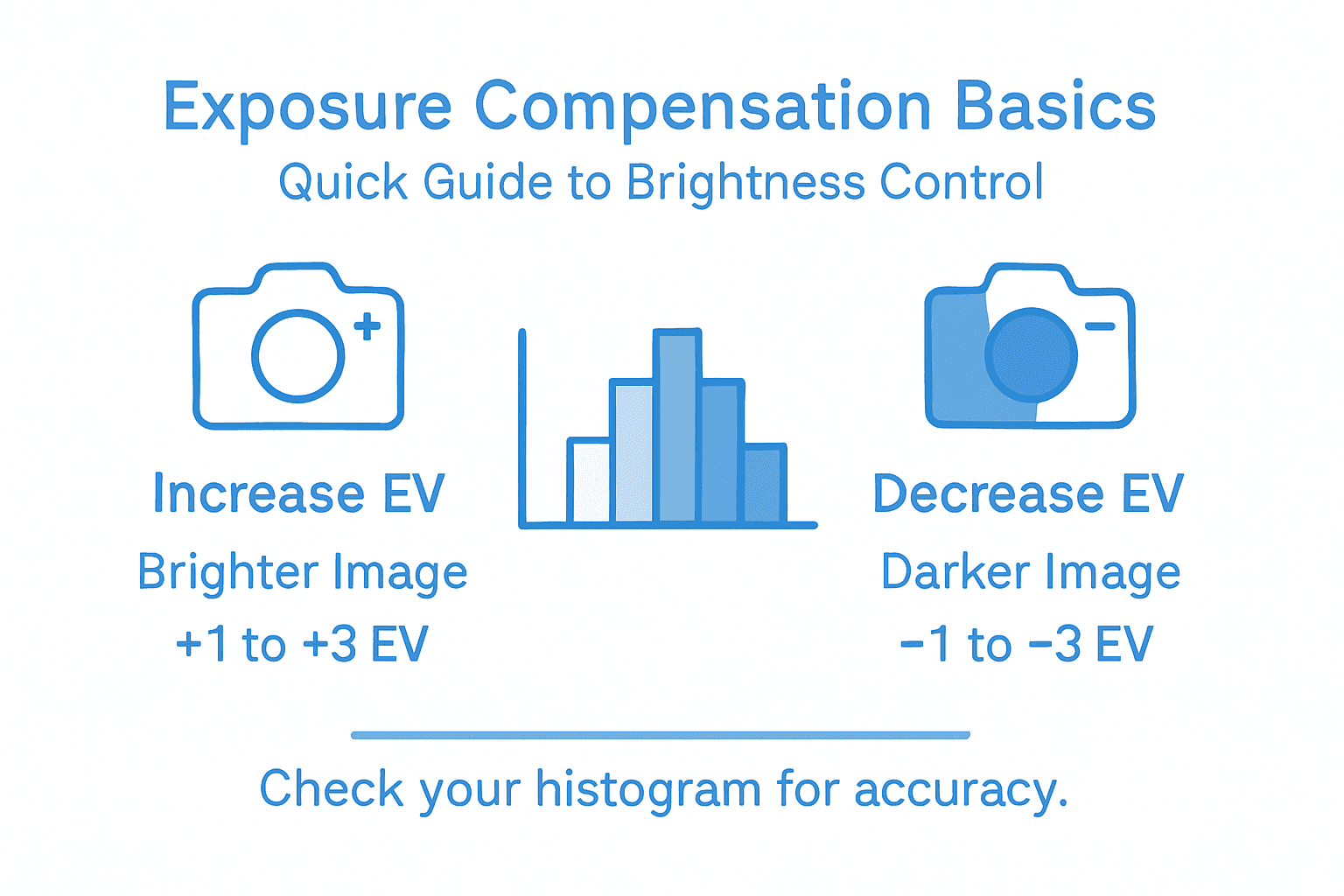
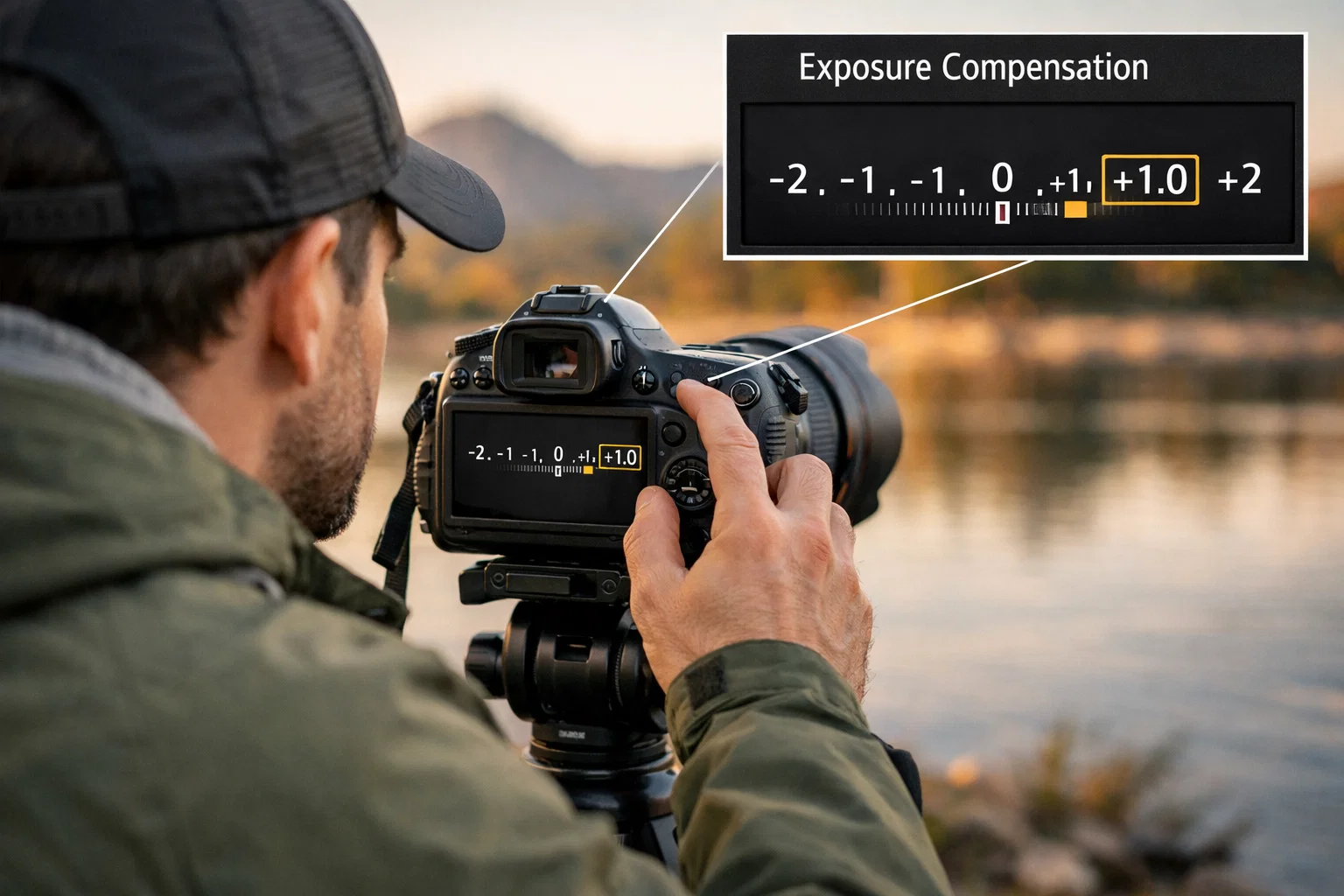
The adjustment process works through incremental changes measured in EV units (Exposure Value), typically ranging from -3 to +3 stops. Positive values increase exposure, making images lighter, while negative values decrease exposure, creating darker results. For example, when photographing a snow-covered landscape, adding +1 or +2 EV prevents the camera from underexposing and turning bright white scenes into muddy gray compositions. Conversely, shooting a dark subject against a bright background might require reducing exposure by -1 EV to preserve critical details and prevent highlight blowout.
Different camera modes handle exposure compensation slightly differently. In aperture priority mode, increasing or decreasing exposure primarily affects shutter speed, while in shutter priority mode, the camera adjusts aperture size to achieve the desired brightness. Exposure in photography reveals how these subtle adjustments can dramatically transform image quality. Modern digital cameras often provide real-time preview of these changes, allowing photographers to see exactly how exposure compensation will impact their final image before pressing the shutter button.
The technical precision of exposure compensation extends beyond simple brightness adjustments. Advanced photographers use this technique to manage challenging lighting scenarios like backlighting, high-contrast scenes, and environments with unusual reflective properties. By understanding how to manipulate exposure compensation, photographers can consistently produce images that accurately represent the visual drama and emotional tone of a scene.
Pro tip: Always check your camera’s histogram after making exposure compensation adjustments to ensure you’re capturing the full range of tonal information without losing detail in highlights or shadows.
When and Why to Use Exposure Compensation
Photographers encounter numerous challenging lighting scenarios where their camera’s automatic metering system falls short of capturing the true visual essence of a scene. Exposure compensation becomes an essential tool for navigating these complex photographic environments, allowing photographers to override the camera’s default exposure calculations and capture images that more accurately reflect what the human eye perceives.
There are several specific scenarios where exposure compensation proves critical. High-contrast scenes like snowy landscapes, beaches, or subjects with predominantly white or black backgrounds can easily confuse a camera’s light meter. In snow scenes, cameras typically underexpose, turning pristine white landscapes into dull gray compositions. Similarly, dark subjects against bright backgrounds often get overexposed, losing critical details. Exposure bracketing techniques complement exposure compensation by providing additional insurance against challenging lighting conditions.
Backlighting presents another classic challenge where exposure compensation becomes invaluable. When your subject is positioned in front of a bright background like a sunset or window, cameras typically expose for the bright background, rendering the subject as a dark silhouette. By adding positive exposure compensation, photographers can bring out facial details and subject characteristics while maintaining the overall scene’s dramatic lighting. Conversely, scenes with extremely bright light sources or reflective surfaces might require negative compensation to prevent blown-out highlights and preserve subtle tonal variations.
Advanced photographers use exposure compensation as a creative tool, not just a technical correction. By intentionally over or underexposing images, they can create mood, emphasize emotional qualities, or produce stylized effects that go beyond literal representation. Understanding how small adjustments can dramatically transform an image’s visual narrative allows photographers to move from simply recording scenes to truly interpreting them through light and exposure.
Pro tip: Practice using exposure compensation in various lighting conditions by taking multiple shots at different EV values to develop an intuitive understanding of how slight adjustments impact your final image.
Below are examples of scenes and exposure compensation adjustments for optimal results:
| Scenario | Typical Compensation | Desired Outcome | Potential Pitfall |
|---|---|---|---|
| Snowy landscape | +1 to +2 EV | Whiter, accurate snow tone | Muddy gray if underexposed |
| Backlit portrait | +1 EV | Visible facial details | Silhouette without adjustment |
| Dark subject, bright background | -1 EV | Preserved highlight detail | Washed-out background |
| High-contrast sunset | -1 to +1 EV | Balanced tonal range | Loss of detail in extremes |
Common Mistakes and Misconceptions to Avoid
Photographers often stumble when using exposure compensation due to misunderstandings about how this powerful technique actually works. One of the most prevalent misconceptions is treating exposure compensation as a universal solution that functions identically across all camera modes. In reality, this technique operates differently depending on the specific shooting mode and camera configuration, requiring nuanced understanding and careful application.
A critical error many photographers make is attempting to use exposure compensation in full manual mode, where it becomes completely ineffective. In manual mode, photographers directly control aperture, shutter speed, and ISO, rendering exposure compensation functionally useless. Semi-automatic modes like aperture priority and shutter priority are where exposure compensation truly shines, allowing photographers to make subtle adjustments to their image’s brightness without completely reconstructing their exposure settings. Common photography mistakes highlight how these technical misunderstandings can significantly impact image quality.
Another widespread misconception involves misunderstanding the actual mechanism of exposure compensation. Many photographers mistakenly believe that it directly changes ISO sensitivity, when in fact it typically adjusts shutter speed or aperture depending on the camera mode. This misunderstanding can lead to unexpected results, especially in complex lighting scenarios. Overusing exposure compensation without carefully analyzing the scene’s tonal range can result in lost details in highlights or shadows, transforming a potentially great image into a technically flawed photograph.
Experienced photographers understand that exposure compensation is a nuanced tool requiring careful consideration. It’s not a blunt instrument for fixing exposure problems, but a precise method of fine-tuning how your camera interprets light. Successful use demands an understanding of your camera’s metering system, the specific lighting conditions, and the visual story you want to tell through your image.
Pro tip: Practice using exposure compensation in controlled environments, systematically testing how small adjustments impact your images under different lighting conditions to develop an intuitive understanding of its effects.
Master Exposure Compensation and Elevate Your Photography Skills Today
Struggling with tricky lighting that your camera just cannot handle automatically Exposure compensation is the key to taking full control of your image brightness and capturing scenes exactly as you envision them. The article “Exposure Compensation Better Photos in Challenging Light” unlocks the secrets behind EV adjustments across different camera modes and highlights pitfalls to avoid so you can create sharp vivid images every time. If you want to move beyond guesswork and truly master exposure techniques then gaining practical insights is essential.
Explore expert tutorials gear advice and straightforward shooting tips tailored specifically for amateur photographers at Amateur Photographer Guide. Learn to confidently apply exposure compensation in real-world scenarios plus discover related techniques like Understanding Exposure Techniques and Exposure Bracketing Basics. Don’t let challenging lighting rob you of stunning photos Start improving your skills now and transform your photography journey.
Frequently Asked Questions
What is exposure compensation in photography?
Exposure compensation is a technique that allows photographers to manually adjust the camera’s automatic exposure settings to better capture images in challenging lighting conditions. It helps override the camera’s built-in light meter when it fails to interpret a scene correctly.
How does exposure compensation affect image brightness?
Exposure compensation adjusts the amount of light reaching the camera’s image sensor by changing the exposure value (EV) in increments ranging from -3 to +3 stops. Positive values increase exposure and brighten the image, while negative values decrease exposure and darken the image.
In which camera modes can I use exposure compensation?
Exposure compensation works best in semi-automatic modes like aperture priority (A or Av) and shutter priority (S or Tv), as well as program mode (P). It is less effective in manual mode (M), where adjustments must be made manually to aperture and shutter speed.
When should I use exposure compensation while shooting?
You should use exposure compensation when photographing high-contrast scenes, such as snowy landscapes or backlit subjects. It helps to preserve detail and avoid underexposure or overexposure in challenging lighting situations.
Recommended
- Exposure Compensation. What Is It And How Can You Use It To Take Better Photos?
- What Is Exposure in Photography? Complete Guide
- Exposure Bracketing: Unlock Perfectly Lit Photos Every Time
- Exposure Bracketing: Unlock Perfectly Lit Photos Every Time
- Product Photography for Amazon: A Guide to Images That Convert
Last update on 2026-03-07 / Affiliate links / Images from Amazon Product Advertising API