

Table of Contents
This blog post may contain affiliate links. As an Amazon Associate I earn from qualifying purchases.
Most amateur photographers discover that nearly 90 percent of their first edited images show some unintended darkening at the edges. This effect, known as vignetting, can surprise american and European beginners alike as they try to boost image quality. When you understand the causes and creative uses of vignetting, you gain the power to shape mood and focus in your photographs using simple editing techniques.
Key Takeaways
| Point | Details |
|---|---|
| Understanding Vignetting | Vignetting is the gradual darkening of an image’s edges, and it can be used intentionally as an artistic technique to enhance focus and composition. |
| Types of Vignetting | Recognize the three primary types of vignetting: optical, mechanical, and post-processing, each with distinct causes and visual effects. |
| Detecting Vignetting | Utilize methods such as flat-field calibration and histogram analysis to systematically detect and measure vignetting in your images. |
| Creative Applications | Employ vignetting in post-processing to guide viewer attention and enrich the narrative impact of your photography. |


What Is Vignetting in Photography?
Vignetting represents a fascinating photographic phenomenon where image brightness subtly decreases toward the photograph’s outer edges, creating a nuanced visual effect that can occur naturally or through intentional manipulation. Unlike many technical limitations, vignetting transforms from a potential optical imperfection into a deliberate artistic technique that photographers strategically employ to enhance image composition and emotional impact.

At its core, vignetting describes a gradual darkening or reduction in image saturation around a photograph’s periphery, which contrasts with the brighter central region. This effect originates from optical characteristics inherent in camera lens design, where light transmission becomes less uniform towards the image’s edges. Historically, vignetting emerged as an unintended consequence of early lens manufacturing limitations, but modern photographers now recognize it as a powerful creative tool.
Photographers can encounter three primary types of vignetting: optical, mechanical, and post-processing. Optical vignetting naturally occurs due to lens design and light projection characteristics. Mechanical vignetting happens when physical obstructions like lens hoods or filters partially block light entering the camera. Digital post-processing vignetting allows photographers to intentionally simulate or enhance the darkening effect using sophisticated editing software, giving them precise control over the aesthetic outcome.
Understanding vignetting enables photographers to leverage this technique strategically. Whether minimizing unwanted lens-based darkening or deliberately creating dramatic visual emphasis, photographers can transform what was once considered a technical flaw into a compelling compositional element. Modern digital cameras and editing tools provide unprecedented flexibility in managing and manipulating vignette effects.
Pro Photographer Tip: Experiment with subtle vignetting during post-processing to gently guide viewer attention towards your image’s central subject without overwhelming the overall composition.
Types of Vignetting and Their Causes
Photographers encounter multiple distinct types of vignetting, each emerging from unique optical and mechanical circumstances that can dramatically influence image quality and aesthetic appearance. Understanding these variations helps photographers anticipate, manage, or intentionally leverage vignetting effects in their creative work.
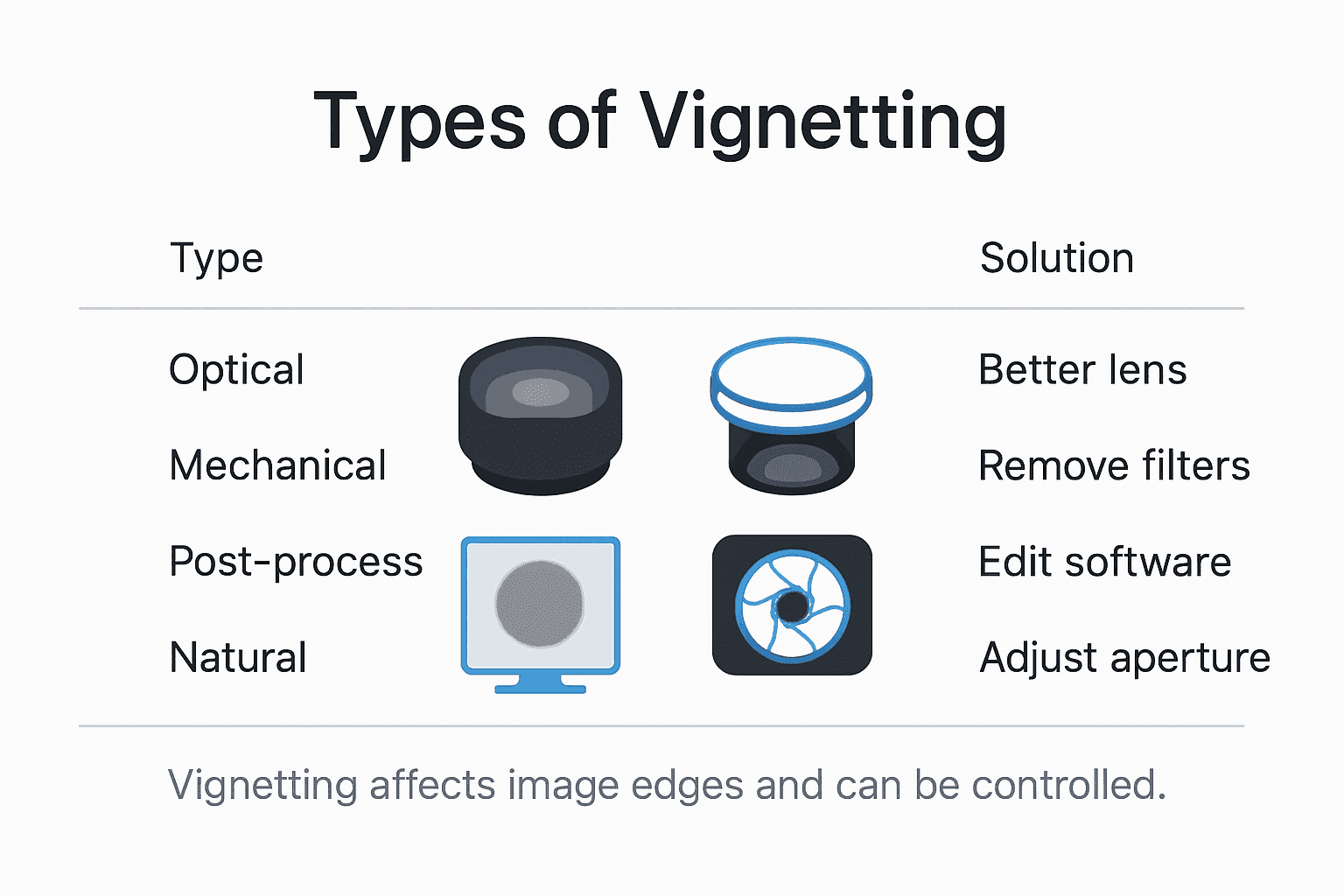
Optical Vignetting represents the most fundamental form of image darkening, directly connected to lens design and light transmission characteristics. This type occurs naturally within the lens structure, where lens elements and aperture configurations restrict light entering the camera. As light rays travel from the center to the image’s edges, they become progressively less intense, creating a gradual reduction in brightness that radiates outward from the photograph’s center.
Mechanical vignetting emerges when physical obstructions interfere with light entering the camera. Common culprits include lens hoods, filters, stacked lens accessories, or even poorly designed lens mounting rings that partially block incoming light. These external elements create hard-edged or irregular shadows at the image’s periphery, producing a more abrupt and noticeable darkening compared to optical vignetting’s subtle gradient.
Digital photographers also encounter post-processing vignetting, a technique where image editing software deliberately simulates or enhances darkening effects. Unlike naturally occurring optical or mechanical vignetting, digital methods offer precise control over intensity, shape, and transition. Photographers can create circular, oval, or custom-shaped vignettes, adjusting feathering and exposure to guide viewer attention or create specific mood and compositional emphasis.
Natural Vignetting represents a unique phenomenon governed by light physics and sensor geometry. Described by the cosine-to-the-fourth-power law, this type of vignetting results from the angle at which light strikes the camera’s image sensor. As light rays move further from the optical axis, their intensity diminishes according to a predictable mathematical relationship, creating a soft, gradual darkening effect that varies based on lens design and sensor characteristics.
Here’s a comparison of the main types of vignetting photographers may encounter:
| Vignetting Type | How It Occurs | Visual Appearance | Typical Solution |
|---|---|---|---|
| Optical | Lens design and light projection | Gradual, softened darkening | Use higher-quality lenses |
| Mechanical | Physical obstructions (hood, filter) | Hard-edged, abrupt shadows | Proper accessories, avoid stacking |
| Post-Processing | Digital editing software | Customizable, user-defined shape | Adjust effect in software |
| Natural (Sensor-based) | Light/sensor angle and geometry | Predictable, subtle gradient | Limited, lens/sensor choice |
Pro Photographer Tip: When shooting in challenging lighting conditions, use test shots to understand how your specific lens produces vignetting, allowing you to anticipate and compensate for potential image edge darkening.
Detecting and Measuring Vignetting in Images
Detecting vignetting requires photographers to develop a systematic approach that combines visual assessment and quantitative measurement techniques. Modern digital photography offers multiple strategies for identifying and analyzing peripheral image brightness reduction, enabling precise evaluation of lens performance and potential correction methods.
Flat-field calibration represents the most fundamental technique for measuring vignetting. Photographers create uniform white or gray background images under consistent lighting conditions, then analyze pixel luminance across the entire frame. By comparing brightness values from the center outward, they can map the precise pattern and intensity of light falloff. Advanced digital imaging software helps transform these calibration images into detailed vignetting profiles, revealing subtle variations that might escape casual visual inspection.
Statistical modeling provides another sophisticated approach to vignetting detection. Researchers have developed advanced algorithms capable of estimating vignetting functions using maximum likelihood techniques, which differentiate between inherent scene brightness and peripheral light reduction. These computational methods can often extract vignetting characteristics from a single image, allowing photographers to understand lens-specific light transmission behaviors without requiring multiple test shots.
Photographers can leverage several practical methods to detect vignetting. Digital camera histograms offer an immediate visual representation of light distribution, with compressed data at image edges potentially indicating vignetting. Image editing software provides precise measurement tools, allowing pixel-level analysis of brightness gradients. Some advanced programs even include automatic vignetting correction features that can map and neutralize light falloff based on comprehensive lens profile databases.
The following table summarizes ways vignetting can be detected and measured:
| Detection Method | Approach Used | Main Advantage |
|---|---|---|
| Flat-Field Calibration | Test shot on gray/white background | Maps precise light falloff |
| Statistical Modeling | Software algorithms on image data | Works from a single photo |
| Histogram Analysis | Evaluating brightness distribution | Quick in-camera assessment |
| Editing Software Tools | Pixel-level brightness analysis | Offers automated corrections |
Pro Photographer Tip: Create a neutral gray test image under consistent lighting conditions to easily map your specific lens’s vignetting characteristics, providing a reliable baseline for future image corrections.
Minimizing Unwanted Vignetting Effects
Photographers have multiple strategic approaches to minimize unwanted vignetting, combining hardware selection, shooting techniques, and advanced digital correction methods. Understanding these techniques empowers photographers to maintain image quality and control peripheral light distribution across different photographic scenarios.
Optical hardware selection plays a crucial role in reducing vignetting. High-quality lenses with sophisticated design characteristics can significantly minimize light falloff at image edges. Prime lenses typically demonstrate more consistent light transmission compared to zoom lenses, offering more uniform illumination across the frame. Photographers should carefully select lens accessories like filters and lens hoods that match their specific lens diameter, avoiding undersized or incompatible components that might inadvertently introduce mechanical vignetting.
Digital post-processing provides powerful computational solutions for vignetting correction. Advanced image editing software employs sophisticated algorithms capable of analyzing and neutralizing peripheral light reduction. These tools utilize deformable radial polynomial models that can precisely map and correct lens-specific vignetting characteristics. Single-image correction techniques have become particularly advanced, allowing photographers to address vignetting without requiring multiple reference calibration images by exploiting unique frequency and spatial characteristics of light distribution.
Practical shooting techniques can also help minimize vignetting effects. Photographers can stop down their lens aperture—typically 1-2 stops from maximum opening—which often reduces optical vignetting. Maintaining proper lens cleaning, avoiding extreme shooting angles, and understanding individual lens performance characteristics can further minimize unwanted peripheral light reduction. Some modern cameras even include built-in lens correction profiles that automatically compensate for known vignetting patterns associated with specific lens models.
Pro Photographer Tip: Stop your lens aperture down by 1-2 stops from its maximum opening when shooting in challenging lighting conditions to naturally reduce optical vignetting and improve overall image uniformity.
Creative Uses of Vignetting in Photo Editing
Vignetting transforms from a technical limitation to a powerful creative tool in the digital darkroom, offering photographers nuanced methods to guide viewer attention and enhance emotional impact. Modern photo editing platforms provide sophisticated techniques for deliberately introducing and manipulating vignette effects, enabling artists to craft visually compelling narratives through strategic light and shadow management.
Photographers leverage creative vignetting to establish visual hierarchy within an image, subtly directing viewers’ eyes toward the central subject. By progressively darkening image edges, editors can create a natural focus tunnel that eliminates distracting peripheral elements and emphasizes the photograph’s primary narrative. This technique works particularly effectively in portrait, landscape, and documentary photography, where maintaining viewer engagement depends on clear visual storytelling.
Different vignetting styles offer unique aesthetic possibilities. Soft, radial vignettes create a dreamy, nostalgic atmosphere reminiscent of vintage photography, while more dramatic, hard-edged variations can produce a sense of intensity or isolation. Photo editing techniques allow precise control over vignette shape, intensity, and feathering, enabling photographers to craft highly personalized visual experiences that complement the image’s emotional tone and compositional structure.
Beyond aesthetic manipulation, creative vignetting serves practical compositional purposes. Photographers can use subtle peripheral darkening to minimize visual clutter, conceal distracting background elements, or create a sense of depth that draws viewers into the image’s central narrative. Advanced editing tools permit complex vignette designs—oval, circular, or even custom shapes—providing unprecedented flexibility in visual storytelling and image enhancement.
Pro Photographer Tip: Experiment with vignette opacity between 10-30% to achieve subtle, natural-looking edge darkening that enhances your image without appearing artificially manipulated.
Master Vignetting to Elevate Your Photography

Understanding vignetting is key to improving your photos by controlling light and focus. This article highlights common challenges such as unwanted optical or mechanical vignetting and shows how subtle post-processing can guide viewer attention effectively. If you want to move beyond accidental darkened edges and explore creative uses of vignetting, you need practical advice tailored to your skill level.
Unlock your full creative potential with expert tips, detailed tutorials, and gear insights designed specifically for amateur photographers at Amateur Photographer Guide. Whether you’re curious about tweaking your editing techniques or choosing lenses that minimize unwanted vignetting, find everything you need to make confident decisions and enhance your images today. Start your journey now by visiting Amateur Photographer Guide for clear guidance on shooting techniques and mastering photo editing strategies that put you in control.
Frequently Asked Questions
What is vignetting in photography?
Vignetting refers to the gradual darkening or reduction in brightness toward the edges of a photo, contrasting with a brighter central area. It can occur naturally due to lens characteristics or be enhanced through post-processing.
What are the different types of vignetting?
The main types of vignetting include optical vignetting (related to lens design), mechanical vignetting (caused by physical obstructions), digital post-processing vignetting (created using software), and natural vignetting (influenced by light and sensor geometry).
How can I minimize unwanted vignetting effects in my photos?
To minimize unwanted vignetting, you can choose high-quality lenses, stop down your aperture by 1-2 stops, avoid using incompatible lens accessories, and leverage digital correction tools in photo editing software.
How can I use vignetting creatively in my photography?
Creative vignetting can guide viewer attention towards the main subject and enhance the overall emotional impact of an image. By using subtle darkening at the edges, you can eliminate distractions and create a stronger visual narrative.
Recommended
- Why Use Wide Angle Lens: Expanding Creative Possibilities – Amateur Photographer Guide
- Why Use Filters in Photography: Complete Guide – Amateur Photographer Guide
- 7 Essential Editing Techniques for Beginners to Try Now
- 7 Essential Editing Techniques for Beginners to Try Now
Last update on 2026-03-31 / Affiliate links / Images from Amazon Product Advertising API
