
Table of Contents
- Quick Summary
- Step 1: Set Up Your Editing Workspace
- Step 2: Import and Organize Photos Efficiently
- Step 3: Apply Essential Adjustments and Corrections
- Step 4: Enhance Photos with Filters and Effects
- Step 5: Export and Review Edited Images
- Master Your Photo Editing Workflow Today
- Frequently Asked Questions- How to Edit Photos
- Recommended reads
This blog post may contain affiliate links. As an Amazon Associate I earn from qualifying purchases.
Nearly every photographer knows that a cluttered editing space can slow down inspiration and productivity. With photo manipulation becoming more advanced every year, having an organized workspace is no longer just a preference—it is a technical advantage. By mastering simple changes, from arranging tools for quick access to adopting a clean layout, you set yourself up for smoother workflows and fewer frustrations. A streamlined workspace can boost editing speed by over 30 percent, helping every photographer transform average photos into standout images. This is your guide on how to edit photos!
Quick Summary
| Essential Insight | Practical Explanation |
|---|---|
| 1. Customize Your Editing Workspace | Tailor your software layout for improved workflow and quick access to tools you use most. |
| 2. Systematic Photo Organization | Establish a clear folder structure and naming conventions for easy image retrieval later. |
| 3. Use Basic Corrections First | Prioritize adjustments like exposure and white balance before adding creative effects. |
| 4. Experiment with Filters Mindfully | Apply filters to enhance mood without overshadowing the original photograph’s integrity. |
| 5. Review Exports on Multiple Devices | Check your edited images on various screens to ensure color accuracy and quality consistency. |

- 【2025 LATEST 8K UHD 88MP AUTOFOCUS DIGITAL CAMERA】 – Equipped with 8K video resolution and an impressive 88-megapixel sensor, the XNSIAKXA 8k camera for vlogging delivers ultra-high definition videos and images. With fast autofocus—just half-press the shutter to lock in focus—you can effortlessly capture stunning images. Whether you’re recording everyday moments or travel experiences, this professional camera is perfect for photographers of all levels who seek outstanding image quality and ease of use.
- 【DUAL LENS With 3.2″ IPS TOUCH SCREEN VLOG CAMERA】-The starter professional camera for photography has both front and rear lenses that can be easily to take selfies and vlogs from any angle.With a 3.2-inch large touch screen design, It simplifies framing, focusing, and shooting with just a tap.Perfect for capture clear and wonderful moments.
- 【WIFI TRANSFER & 6-AXIS STABILIZATION】-This vlog camera bulit in wireless WiFi function, allowing you to instantly upload and share videos and photos directly to social media platforms, just need download the “iSmart DV2” app to your Android or iOS device. Our 8k digital camera is also great for video calls & live streaming, YouTube or social media use, has 6-axis stabilization that ensuring smoother videos, whether you’re a beginner or just need a camera for daily use, it makes picture capturing and vlogging a breeze.
- 【360° ROTARY DIAL TO RELEASE CREATIVITY】 – Unlike other cameras for photography, this portable digital camera features a 360° rotary dial for quick and effortless mode switching, include: Timelapse Video; Filter; Portrait; Scene; Slow Motion; Landscape; Auto Mode; Program. This 8k camera for vlogging is super easy to use, making it perfect for anyone, include: beginner, teens, content creator, etcs. With this camera, you can fully unleash your imagination.
- 【MULTI-FUNCTION 8K CAMERA & LARGE CAPACITY BATTERY】This digital cameras for photography support 16X digital zoom, slow motion, continuous shooting, etc, whether you’re shooting landscapes or close-ups, the image quality is outstanding, and the built-in flash function, even in low-light conditions, you can still capture high-quality images. Include 32GB SD card and two large capacity batteries which allowing for extended shooting sessions without needing frequent recharges.

- 【2026 8K UHD 88MP Autofocus Camera】2026 upgraded digital camera captures up to 88MP high-resolution photos and records 8K videos with fine detail. The 16x zoom lens makes it easy to switch between broad landscapes and close-up subjects, keeping your travel and daily shots sharp and vivid. With quick autofocus, simply half-press the shutter to lock focus for clearer results
- 【Dual-Lens & Touchscreen Control】Equipped with both front and rear lenses, this cameras for photography makes it easy to switch between selfies, vlogs, and group shots. The built-in anti-shake and fast autofocus help deliver clearer images with less blur. A 3.2-inch HD touchscreen lets you frame your shots smoothly and operate the point and shoot digital camera with ease, perfect for beginners and everyday photography
- 【Wi-Fi Sharing & HDMI Output】Easily transfer photos and videos to your smartphone via built-in Wi-Fi for quick sharing on social media. Connect the 8k digital camera to a TV or monitor via HDMI for larger-screen viewing. It also works as a webcam for live streaming, video calls, or online meetings, making it versatile for both casual and creative use.
- 【Versatile Vlogging Camera with Flash】Designed with creators in mind, this camera features a hot shoe mount for external microphones or fill lights, ensuring clear audio and bright footage. The built-in flash enhances low-light shooting, while the included 64GB card and two rechargeable batteries keep you powered for hours of filming. (Note: minimum focus distance 10 cm; macro lens not included.)
- 【Gift-Ready Package】Measuring just 5 × 2.8 × 3.4 inches, this camera is built for travel and everyday use. The package includes: 1 × 8K Digital Camera, 2 × Batteries, 1 × 64GB TF Card, 1 × USB Cable, 1 × HDMI Cable, 1 × Charger, 1 × Lens Hood, 1 × Lens Cap, 1 × Camera Bag, 1 × Cleaning Cloth, 1 × Manual, 1 × Strap. Backed by 24/7 customer service, it makes an excellent christmas gifts, birthday gifts for women, anniversary gifts for men

- 4K DIGITAL CAMERA WITH AUTOFOCUS: The newest 4K digital camera for photography captures videos in 4K resolution and snaps ultra HD 48MP images. With Autofocus and 16X digital zoom, every detail is crisp, clear, and vibrant even captured from a distance.
- 180° FLIP SCREEN AND PORTABLE: Our 4k camera for photography offers a 3.0-inch IPS 180° flip screen, ideal for selfie enthusiasts and vlogging creation. Designed for travel and everyday use, this compact travel camera for pictures is built to last. Its small size and durable construction make it a reliable companion for capturing memories on the go.
- MULTIFUNCTIONAL PHOTOGRAPHY CAMERA: The 4K digital video camera features a date stamp, exposure compensation (-3.0 to +3.0), video pause and playback, time-lapse, slow-motion, giving your videos a creative edge. Additional features like a fill light, Anti-shake, 3 continuous shooting, smile & face detection, beauty face, self-timer, and various filters encourage you to stretch your creative boundaries.
- WEBCAM AND EASY TRANSFER: This 4K vlogging camera for YouTube doubles as a webcam, perfect for live streaming, video chats, and vlogging. You can connect the photo camera to your computer via an USB cable for easy file download, sharing your experiences with friends instantly. With 2 spare rechareable batteries, never worry about power shortage.
- A PERFECT GIFT WITH A HASSLE-FREE WARRANTY: User-friendly and versatile, this portable digital camera for teens is an ideal gift for beginners, amateurs, teens, and seniors, fulfilling daily shooting needs easily. Enjoy our worry-free 18-month replacement and refund warranty. Our prompt customer support team is ready to assist you in under 12 hours!

- 【2026 LATEST 8K UHD 88MP AUTOFOCUS DIGITAL CAMERA】: Our 8K digital camera Equipped with 8K video resolution, Also can shooting 88MP photos with true-to-life color and detail. Advanced autofocus instantly locks onto the subject, ensuring clear photos even when in motion, while the 16X digital zoom lets you get closer without sacrificing image quality. Whether you’re capturing family trips, daily moments, or creating video content, it delivers sharp images and smooth videos.
- 【WIFI TRANSFER & WEBCAM】:This vlog camera comes with built-in WiFi, allowing you to instantly upload and share videos and photos directly to social media platforms by simply downloading the “iSmart DV2” app on your Android or iOS device.Our 8K digital cameras for Photography is also ideal for video calls and live streaming on YouTube or social media.And perfect for quick sharing your joy on social media or cloud backup.has 6-axis stabilization that ensuring smoother videos, It is well-suited for both professionals and beginners.
- 【DUAL LENS & 3.2″ IPS TOUCH SCREEN PROFESSION CAMERA】:This portable digital camera features both front and rear lenses, allowing you to switch between them with a single touch for effortless selfies or content creation.Featuring a 3.2-inch large touch screen, it streamlines framing, focusing, and capturing with a simple touch. Ideal for preserving your clearest and most memorable moments.
- 【360°ROTARY DIAL EASY TO OPERATE】:This digital cameras for photography support 360° rotating button design allows you to easily switch between 8 shooting modes, including: auto mode,filters, program ,scene, portrait, landscape, slow motion, time-lapse.Capture your adventures and daily moments with this versatile camera, designed for effortless travel photography and stunning video recording.
- 【LONG BATTERY LIFE & AMPLE STORAGE】:Our cameras for photography equipped with two large capacity rechargeable battery and a 32GB SD card, this vlogging camera supports long shooting sessions without interruptions.The powerful battery lets you shoot all day without worrying about power or memory. Whether it’s a birthday, a holiday or a special occasion, this digital camera is the perfect present to inspire creativity and capture memories.A present that combines fun, creativity and technology.

- 【64MP 4K Digital Camera with Autofocus & Flash】 Capture the most exciting moments of life with clear image quality. This advanced 4K digital camera is equipped with the latest generation CMOS chip, delivering up to 64MP ultra-clear photos and 4K Ultra HD videos. The autofocus system ensures that your subjects are always sharp and crisp. With a built-in flash, you can take clear and sharp photos whether at an indoor birthday party, exploring natural scenery, or shooting night scenes.
- 【3.0” 180° Flip Screen for Vlogging】 This 4K camera is designed for content creators, featuring a 3.0-inch IPS 180° rotatable flip screen that allows you to preview your shots from any angle, It is perfect for selfies, vlogs, and creative shooting. The built-in microphone ensures clear sound quality, Switch to webcam mode to enjoy live streaming, online classes, video chats, or YouTube content creation, making it an ideal choice for vloggers, beginners, and teenagers.
- 【WiFi Sharing & Remote Shooting】 Stay connected and share your creativity instantly. With built-in WiFi, simply download the “Viipulse” app to your Android or iOS device. Once connected, you can transfer photos and videos directly to your phone, and even remotely control the camera to take photos or record videos. Easily share your travel memories, daily vlogs, or creative projects on social media platforms.
- 【16X Digital Zoom & Creative Shooting Modes】 Use the W/T dial for 16X digital zoom to capture every detail near and far, allowing you to switch between wide landscapes and close-up shots. Explore features such as anti-shake, slow motion, time-lapse, continuous shooting, video pause, face detection, smile capture, and beauty filters to unleash your creativity. Each function is designed to make shooting fun, versatile, and professional.
- 【Portable Travel Camera with Long Battery Life】 This compact digital camera easily fits into your bag or pocket, perfect for travel and everyday use.With two rechargeable batteries, allowing you to capture every exciting moment during long trips or outdoor adventures without worrying about running out of power. Perfect for beginners, teens, students, and seniors who want to record life’s special moments. Additionally, we provide 24/7 customer support ensuring a satisfying shopping experience.
Step 1: Set Up Your Editing Workspace
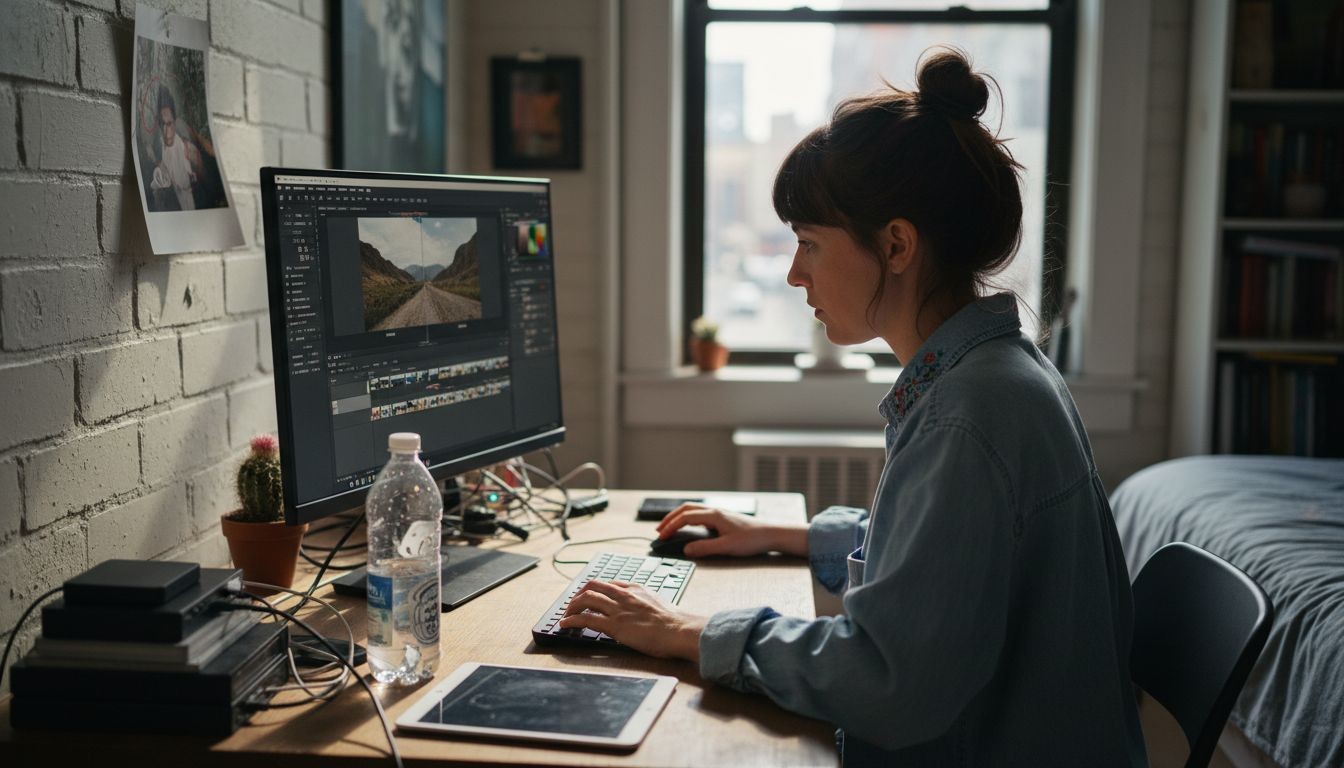
Creating an efficient editing workspace is the foundation for smooth photo manipulation in 2025. Your workspace determines how quickly and effectively you can transform images, making the initial setup crucial for photographers of all skill levels.
Begin by selecting a photo editing software with a customizable interface. Most modern photo processing tools allow you to adjust workspace layouts to match your personal workflow. Arrange panels like histogram, layers, and adjustment tools strategically around your main image canvas. Focus on creating an intuitive setup where frequently used tools are within easy reach. Consider dedicating screen space to preview windows and adjustment panels that you access most often.
Organize your workspace with a clean background color that reduces eye strain typically light gray or neutral tones work best. Position your main monitor at eye level and ensure consistent lighting to prevent color perception distortion. If possible, use dual monitors to separate your editing canvas from tool panels maximizing screen real estate and workflow efficiency.
Here’s a comparison of workspace setups for photo editing:
| Setup Type | Key Benefit | Ideal For |
|---|---|---|
| Single Monitor | Space saving, simplicity | Beginners, small spaces |
| Dual Monitors | Greater screen real estate | Professionals, multitaskers |
| Custom Shortcuts | Faster workflow, efficiency | Power users, frequent editors |
| Neutral Colors | Reduces eye strain | Long editing sessions |
Professional tip: Configure custom keyboard shortcuts for your most frequent editing actions to dramatically reduce time spent searching through menus and increase overall productivity.
Step 2: Import and Organize Photos Efficiently
Importing and organizing your photos systematically is the key to maintaining an efficient digital photography workflow. This crucial step ensures you can easily locate and manage your images now and in the future.
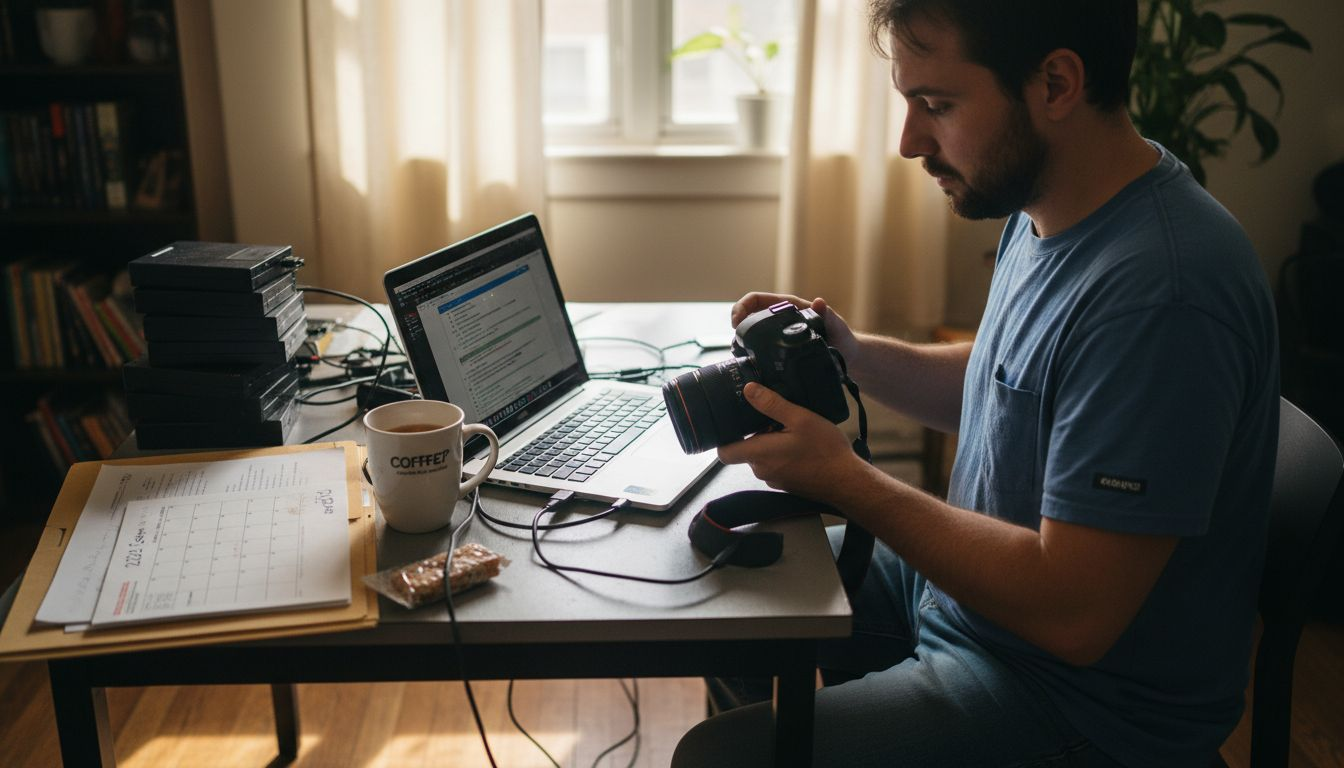
Start by creating a consistent folder structure on your computer dedicated to your photography. Develop a naming convention that includes key details like date, event, or subject. For instance, use formats like “2025_01_15_WinterLandscape” or “FamilyReunion_Summer2025”. Many photographers follow structured editing workflows that emphasize clear organization from the moment images are transferred.
When importing photos, use your camera or editing software’s built-in transfer tools to move images directly to your designated folders. During this process, add metadata like keywords, location information, and copyright details. This extra step transforms your photo library from a chaotic collection into a searchable, well-organized archive. Consider using external hard drives or cloud storage solutions to create backup copies immediately after import, protecting your valuable visual memories.
Professional tip: Create an annual master folder with subfolders by month or event, allowing you to quickly navigate your growing photo collection without getting overwhelmed by excessive file complexity.
Step 3: Apply Essential Adjustments and Corrections
Transforming raw photographs into polished images requires understanding and applying fundamental editing techniques that enhance visual quality. This step will help you master the core adjustments that turn good photos into great ones.
Begin with basic corrections like exposure and white balance. Use your editing software’s histogram and levels tools to adjust brightness and contrast precisely. Experiment with curves and levels to fine-tune the tonal range of your image. Essential photo editing tips recommend starting with global adjustments before moving to more targeted corrections. Pay special attention to highlights and shadows, ensuring you maintain detail while creating a balanced look.
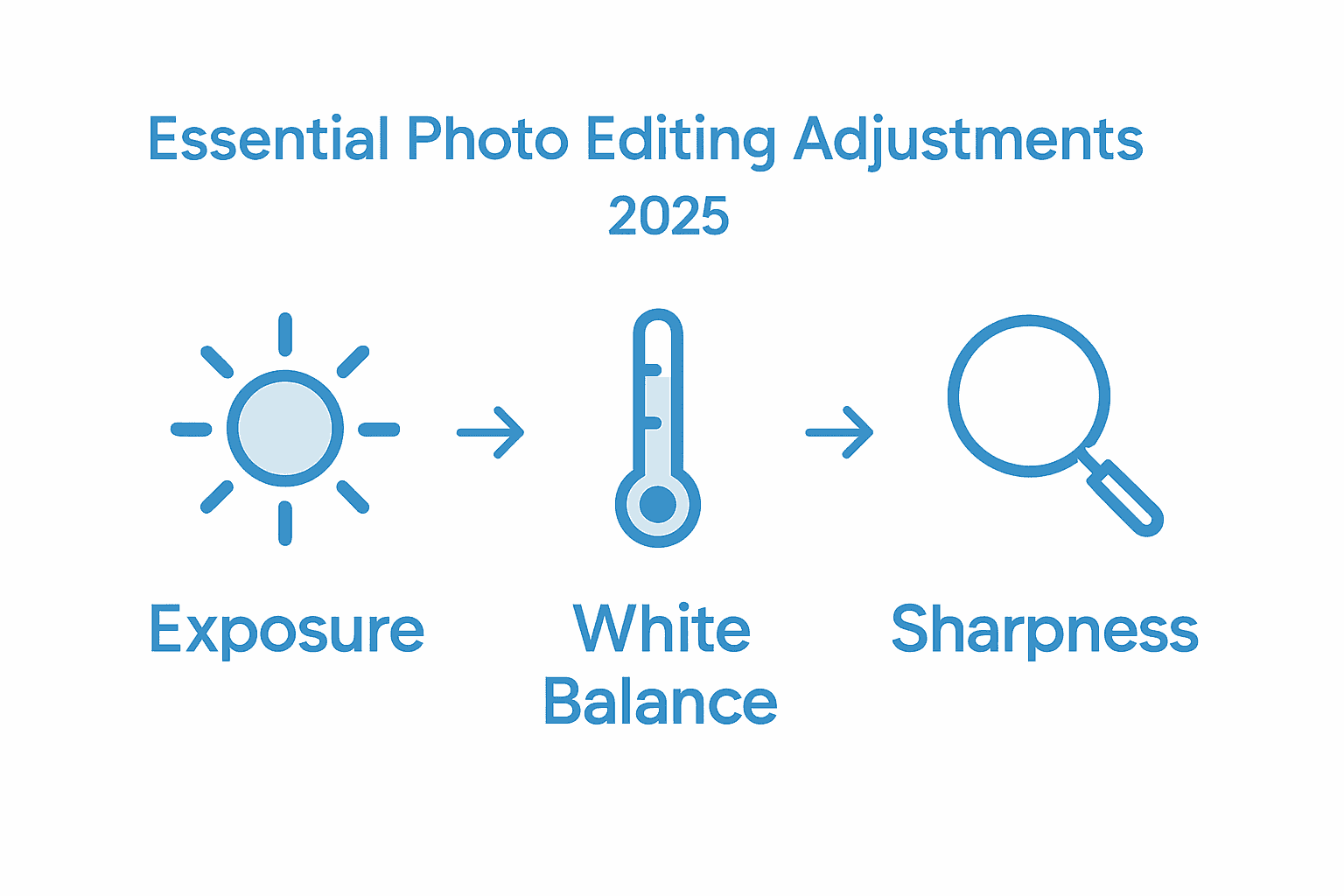
Next, focus on color corrections and sharpening. Adjust hue, saturation, and color balance to make your images pop while maintaining natural appearance. Use selective editing tools to target specific areas like skin tones or landscape elements. Noise reduction and subtle sharpening can dramatically improve image quality, especially for photos taken in challenging lighting conditions. Remember that subtle adjustments often produce more professional results than extreme manipulations.
Professional tip: Always work on a duplicate layer to preserve your original image, giving you the freedom to experiment without risking permanent changes to your original photograph.
Step 4: Enhance Photos with Filters and Effects
Filters and creative effects transform ordinary photographs into stunning visual narratives, giving photographers powerful tools to express their unique artistic vision. This step will help you navigate the exciting world of digital image enhancement without losing the authentic essence of your original photograph.
Start by exploring filters in photography that complement your image’s mood and style. Modern editing software offers an incredible range of preset filters that can dramatically alter your photo’s atmosphere. Look for options that enhance rather than overwhelm your original composition. Experiment with subtle color grading, vintage effects, or black and white conversions. Pay attention to how different filters interact with your image’s lighting, contrast, and overall tone.
Advanced editing techniques allow for more nuanced effects beyond standard filters. Use layer blending modes to create unique visual textures, adjust opacity to control effect intensity, and combine multiple filters for complex looks. Modern AI-powered tools can even learn and apply personalized styles that match your photographic preferences. Remember that the best effects should enhance your photo’s storytelling potential without making the manipulation obvious.
Professional tip: Always keep a copy of your original image and apply filters on a separate layer, allowing you to dial back the effect or completely remove it without losing your initial photograph.
Step 5: Export and Review Edited Images
Finalizing your photo editing process requires careful export and critical review to ensure your images meet professional standards. This step transforms your carefully edited photographs into shareable and printable masterpieces.
Choose the appropriate file format and resolution based on your intended use. Step by step photo editing techniques recommend exporting high quality JPEG files for web sharing and TIFF or RAW formats for professional printing. Consider the destination of your image whether its social media, print publications, or personal albums when selecting export settings. Pay attention to color space settings ensuring consistent color representation across different devices and platforms.
Here is a quick reference guide to common file formats and their recommended uses in photo editing:
| File Format | Best Use Case | Advantages | Considerations |
|---|---|---|---|
| JPEG | Web sharing, social media | Small file size, wide support | Lossy compression, some quality loss |
| TIFF | Professional printing | High quality, lossless | Large file size, not ideal for web |
| RAW | Advanced post-processing | Maximum detail, editable | Requires special software |
| PNG | Graphics with transparency | Lossless, supports transparencies | Larger than JPEG, not for print |
Carefully review your exported images on multiple devices and screens to verify color accuracy and overall quality. Zoom in to check sharpness and examine details that might have been missed during initial editing. Create multiple versions with slight variations in color or exposure to give yourself options. Compare exported images side by side to identify which version best captures your creative vision and technical requirements.
Professional tip: Create a backup of your original edited file in a separate storage location before final export to protect your work against potential file corruption or accidental deletion.
Master Your Photo Editing Workflow Today
Editing photos in 2025 can feel overwhelming with so many tools and techniques to learn. This guide helps you tackle challenges like organizing your photo library, refining color balance, and applying the perfect effects while protecting your original images. If you want to build confidence and gain practical skills from the ground up, Amateur Photographer Guide offers easy-to-follow tutorials and tips specifically created for photographers just like you.
Start improving your editing workflow now with expert advice on everything from workspace setup to exporting final images. Visit Amateur Photographer Guide to explore in-depth guides on step-by-step photo editing and discover essential photo processing tools that will make your photo transformations faster and more enjoyable. Don’t wait—unlock your creative potential and bring your vision to life with the right knowledge at your fingertips.
Frequently Asked Questions- How to Edit Photos
How can I set up my editing workspace for photo editing in 2025?
To set up your editing workspace, choose customizable photo editing software and arrange the interface to suit your workflow. Position frequently used tools within easy reach and ensure your main monitor is at eye level to reduce strain.
What is the best way to import and organize my photos for efficient editing?
Create a consistent folder structure on your computer and use a clear naming convention when importing photos. For example, include the date and event in the filename; this makes it easier to locate your images later.
What essential adjustments should I apply when editing photos?
Start with basic corrections such as exposure and white balance to improve your images instantly. Adjust the histogram and levels tools, then move on to color corrections for a polished final result.
How can I enhance my photos with filters and effects effectively?
Use filters that complement your images without overwhelming them. Experiment with different effects and apply them on separate layers so you can easily adjust their intensity or remove them if needed.
What file formats should I choose when exporting my edited images?
Select file formats based on your usage needs—JPEG for web sharing, TIFF for printing, and RAW for advanced edits. Make sure to check color space settings to maintain color accuracy across platforms.
How can I ensure the quality of my exported images?
Carefully review your exported images on multiple devices to verify color accuracy and sharpness. Create multiple versions with slight variations to choose the one that best captures your artistic vision.
Recommended reads
- How to Edit Photos on iPhone/iPad: A Comprehensive Guide – Amateur Photographer Guide
- How to Edit Photos on Mac: A Comprehensive Guide for Amateur Photographers – Amateur Photographer Guide
- How to edit photos on windows – Amateur Photographer Guide
- 7 Essential Photo Editing Tips for Amateur Photographers – Amateur Photographer Guide
- How to take a Screenshot on you Mobile Device – StudioShake